

Wopisanje
Vitrin Touch lets you build beautiful, mobile-first swipeable sliders — just like the carousel on Amazon’s mobile homepage — using an intuitive, tile-based editor with real-time previews.
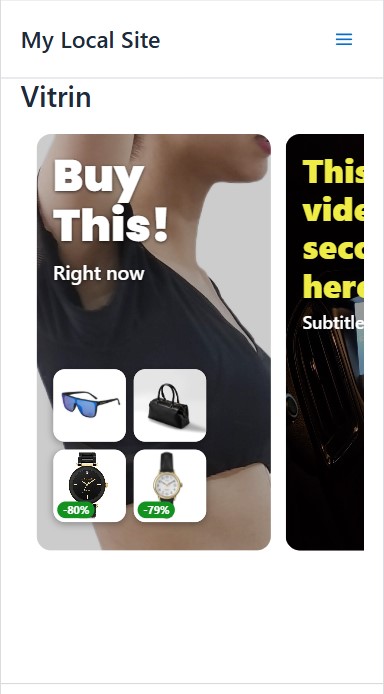
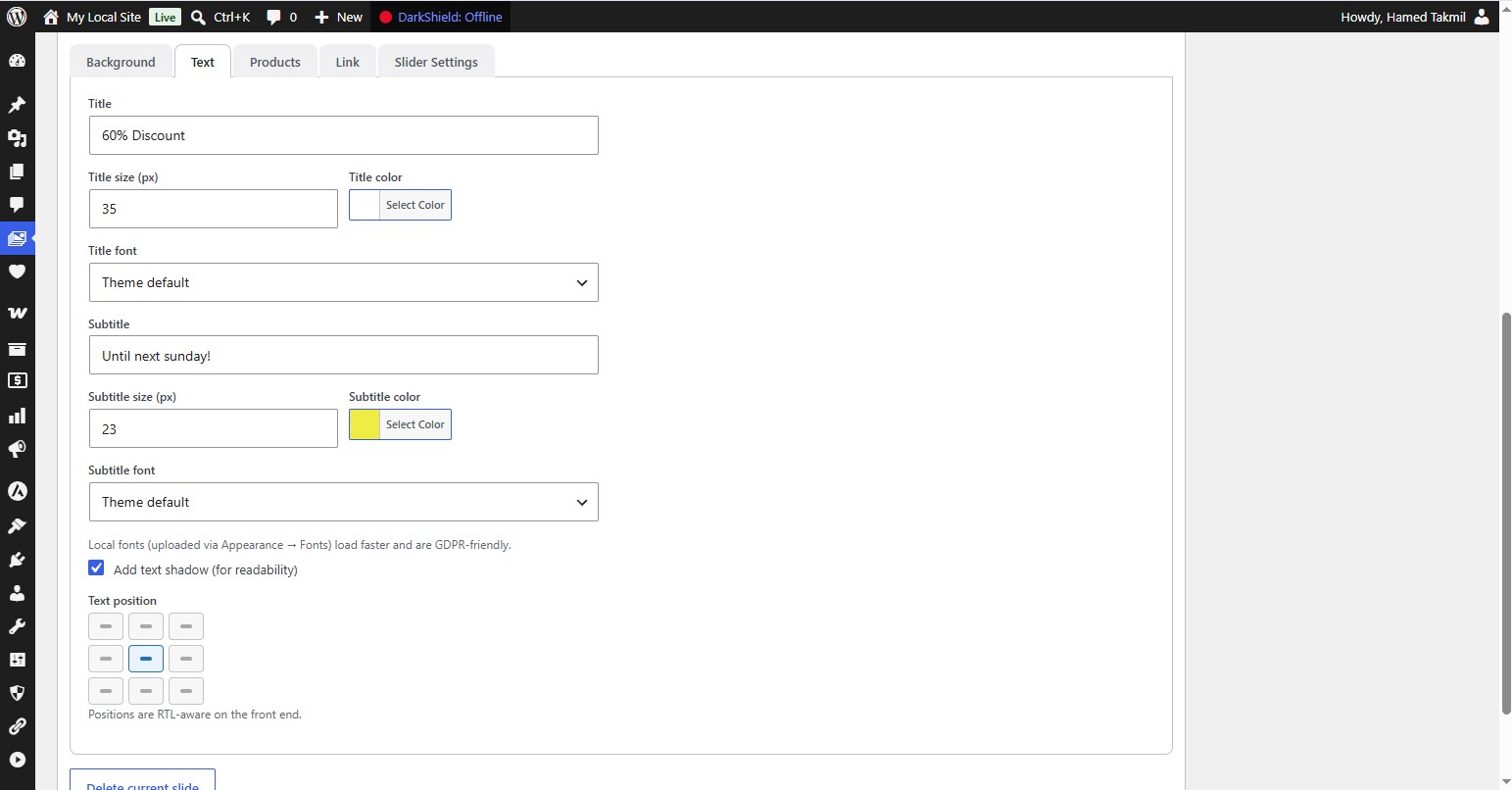
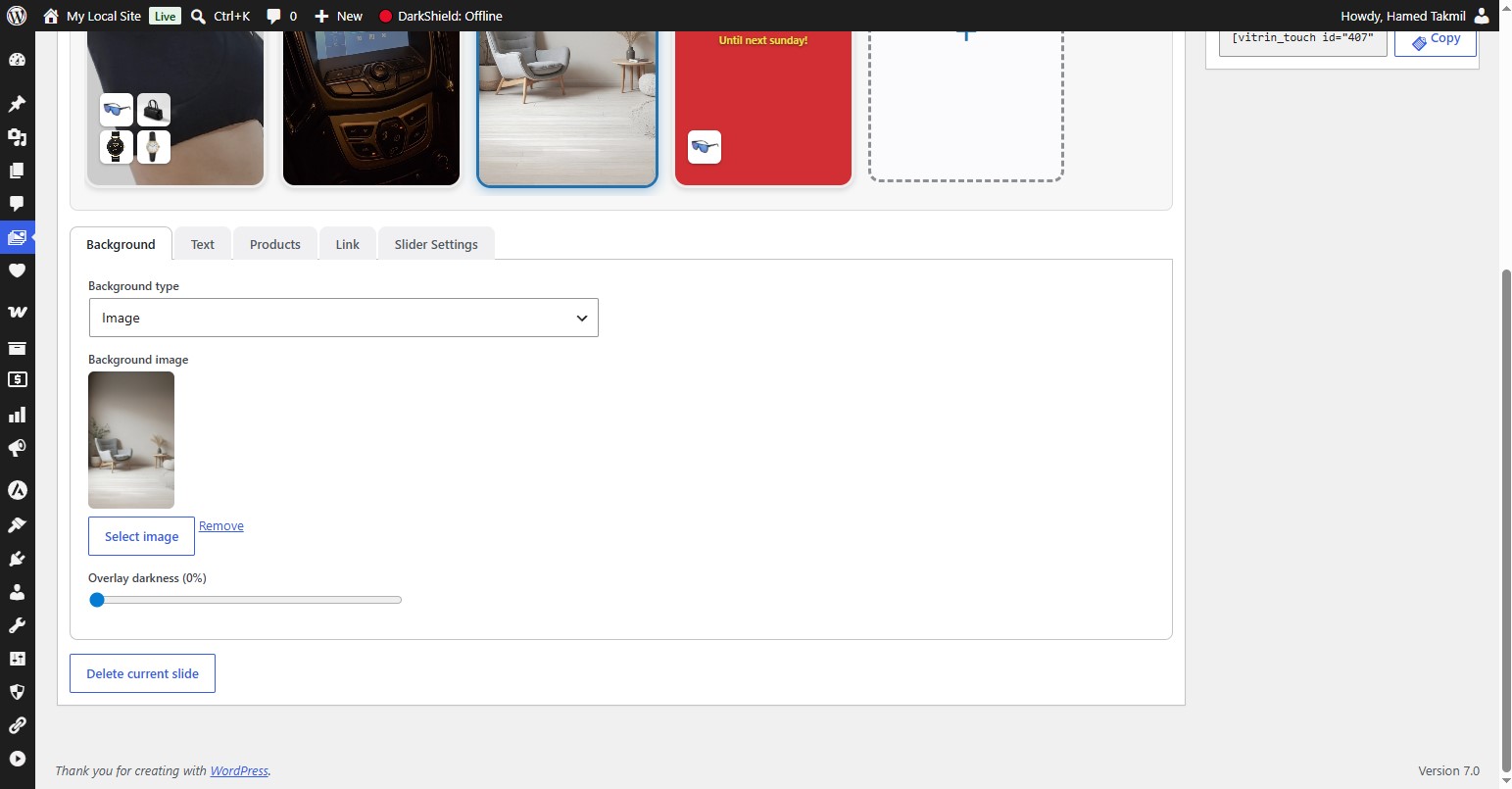
Each slide can have a color, image, or short video background, custom title & subtitle (with fonts, sizes, colors, shadows and 9 RTL-aware positions), up to four WooCommerce product thumbnails with automatic discount badges, and a clickable link for the whole slide.
The front-end uses pure CSS scroll-snap (no heavy JavaScript libraries), so it’s fast, smooth, and dependency-free. Assets load only on pages where a slider actually appears.
Key Features
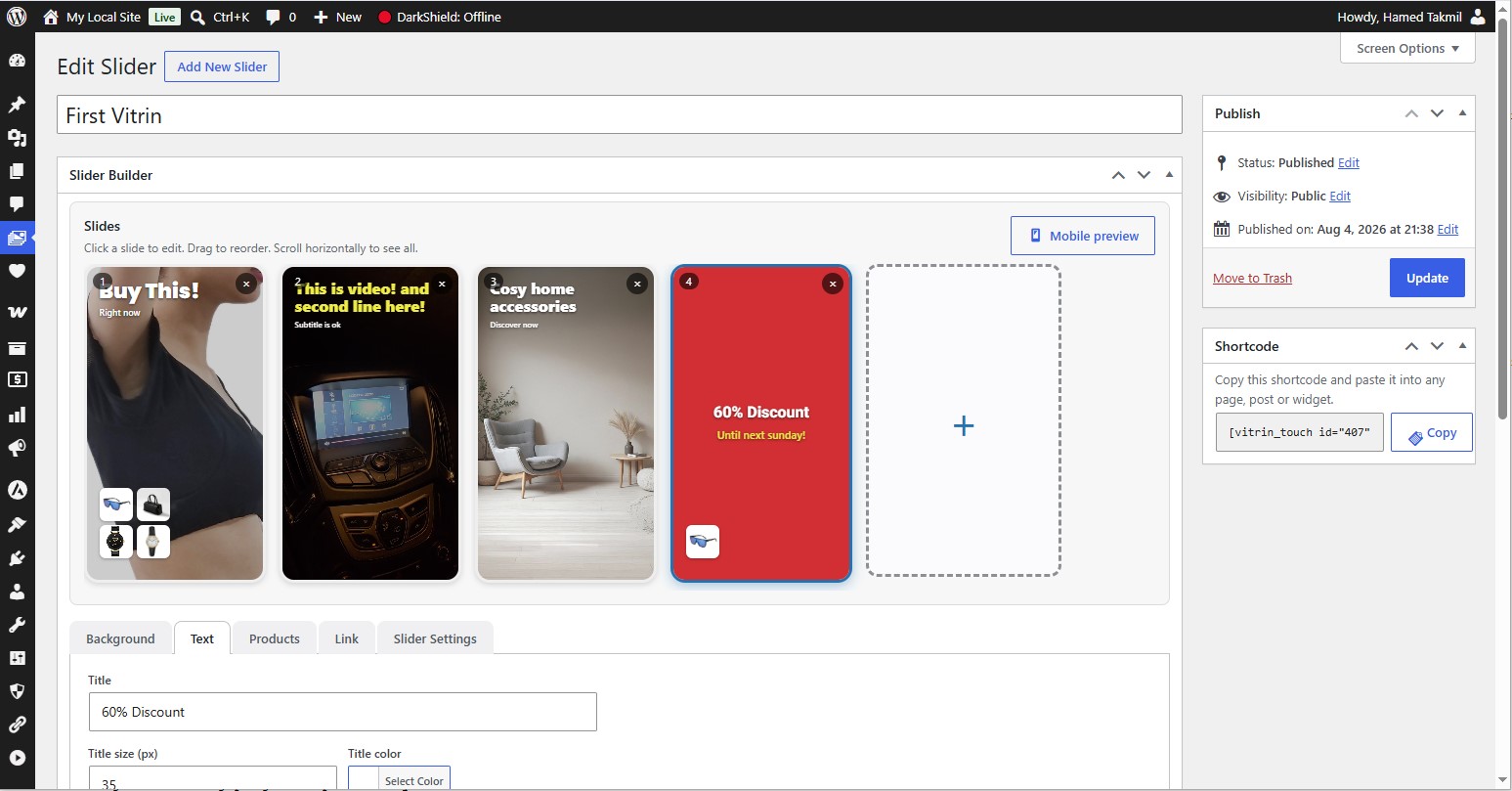
- Tile-based builder — click a dashed “+” tile to add slides; drag to reorder.
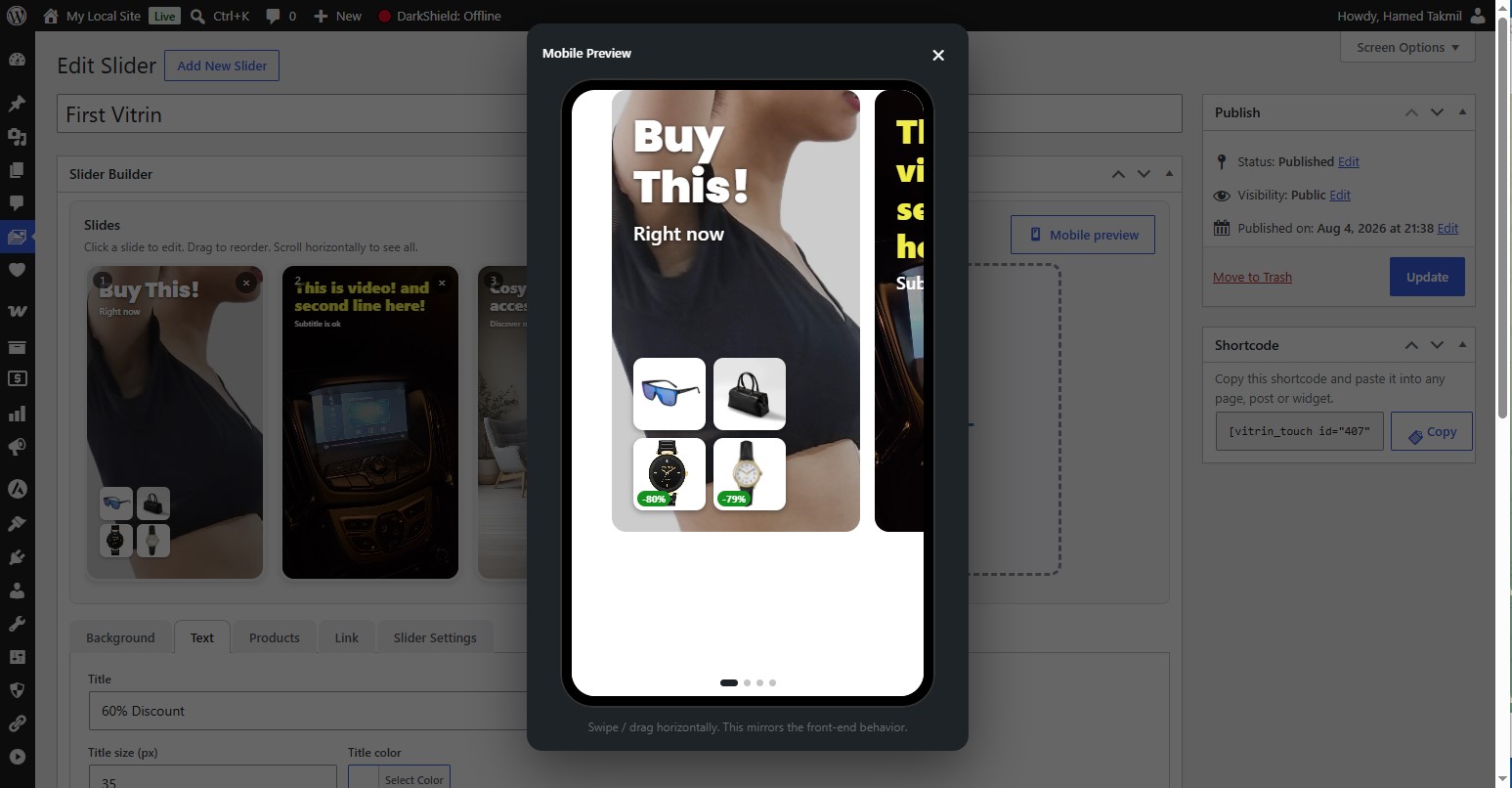
- Live previews — see each slide update in real time, plus a full Mobile Preview with real swipe and “next-slide peek”.
- Backgrounds — solid color, image, or looping muted MP4 video (with a small play/pause button on the front end).
- Text styling — title & subtitle with per-slide font (Google Fonts or locally uploaded), size, color, optional shadow, and a 9-point position grid.
- RTL-aware — logical positioning that works correctly in both LTR and RTL sites.
- WooCommerce — attach up to 4 products per slide, shown as thumbnails with automatic discount badges. Product thumbnails link to their product pages; the rest of the slide uses the slide link.
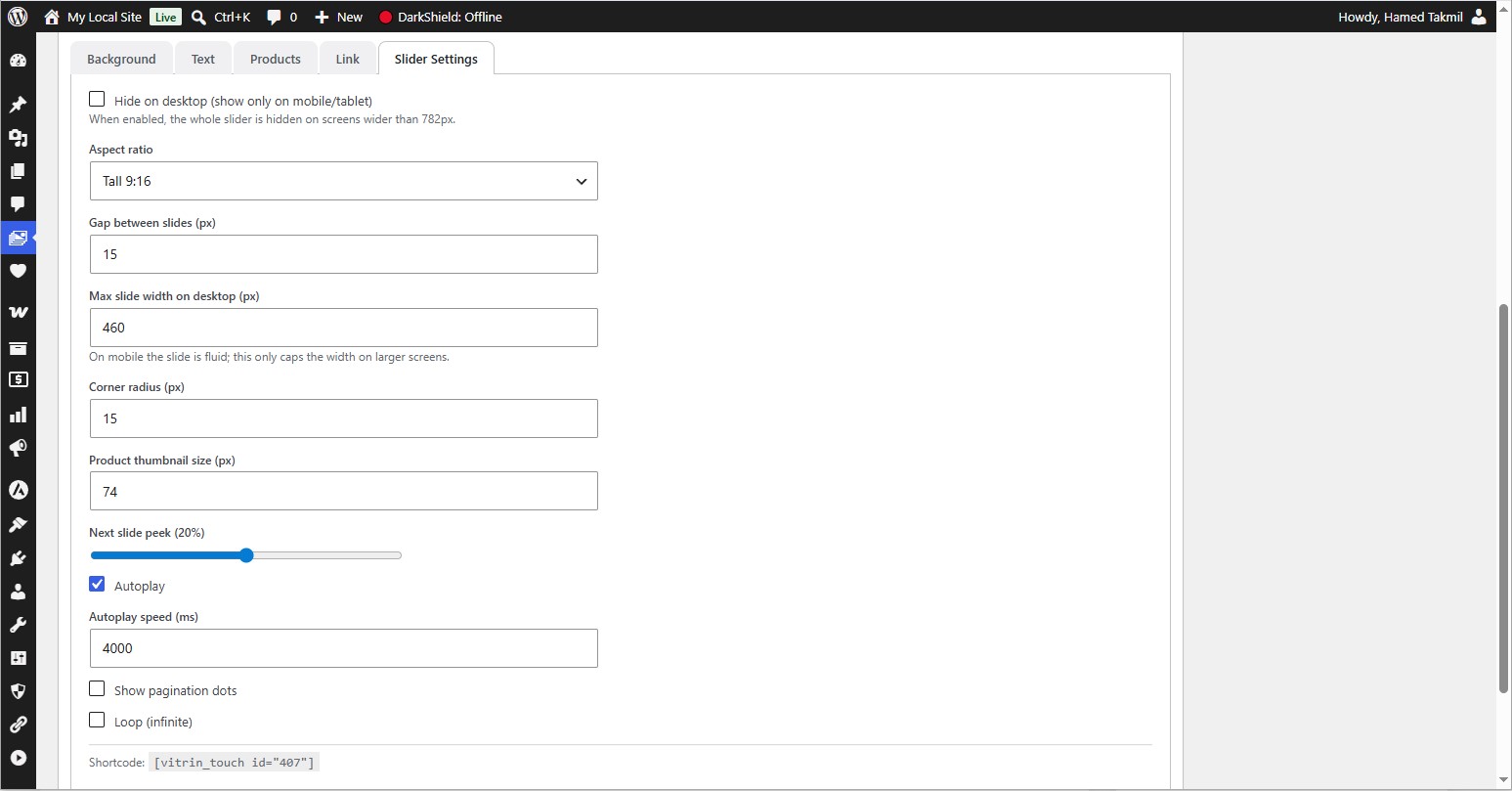
- Slider settings — aspect ratio (portrait presets), gap, next-slide peek, corner radius, max width on desktop, product thumbnail size, pagination dots, autoplay (with speed), and infinite loop.
- Fonts — curated Google Fonts (including Persian families like Vazirmatn & Estedad) or self-hosted fonts via the WordPress Font Library.
- Performance — conditional asset loading, no external JS dependency, and automatic cache purging for popular caching plugins.
- Translation-ready — full
.potincluded; all strings are translatable and RTL-ready. Compatible with Polylang / WPML. - Developer-friendly — clean, namespaced, PSR-4-style architecture with plenty of hooks and filters, ready for a Pro add-on.
Usage
- Go to Vitrin Touch Add New Slider.
- Click the dashed “+” tile to create a slide.
- Set the background, text, fonts, products and link.
- Use Mobile Preview to test swipe & peek.
- Adjust global options under Slider Settings.
- Publish, then copy the shortcode from the sidebar box.
-
Paste the shortcode into any page or post:
[vitrin_touch id=“123″]
Replace 123 with your slider’s ID (also shown in the sliders list table).
Fota wobrazowki

Instalacija
- Upload the
vitrin-touchfolder to/wp-content/plugins/, or install the ZIP via Plugins Add New Upload Plugin. - Activate the plugin through the Plugins menu in WordPress.
- Go to Vitrin Touch in the admin sidebar to create your first slider.
- (Optional) Install WooCommerce to enable product thumbnails and discount badges.
- (Optional) Upload custom fonts via Appearance Fonts to use self-hosted fonts.
HSP
-
Does it require WooCommerce?
-
No. WooCommerce is optional and only needed if you want to display product thumbnails with discount badges. All other features work without it.
-
Where do I put the shortcode?
-
Anywhere that accepts shortcodes: a page, a post, or a shortcode/widget block. On each slider’s edit screen you’ll find a ready-to-copy shortcode box under the Publish panel.
-
How do I use my own fonts instead of Google Fonts?
-
Upload your fonts via Appearance Fonts (the built-in WordPress Font Library, 6.5+). They will appear in the font dropdown labeled “(local)”. Local fonts load faster and are GDPR-friendly. You can also disable Google Fonts entirely under Vitrin Touch Settings.
-
Is it compatible with RTL languages like Persian/Arabic?
-
Yes. Text positions use logical start/end values, and the slider direction follows your site’s language, so everything mirrors correctly in RTL.
-
How does the “next-slide peek” work?
-
In Slider Settings, the “Next slide peek” value controls how much of the following slide is visible at the edge of the viewport (e.g. 20%), creating the Amazon-style carousel look.
-
Does it slow down my site?
-
No. The CSS and JavaScript are only loaded on pages that actually contain a slider, and the front-end uses native CSS scroll-snap with a tiny vanilla-JS enhancement — no jQuery or heavy libraries.
-
Is it compatible with caching plugins?
-
Yes. Vitrin Touch automatically purges the caches of popular plugins (WP Rocket, W3 Total Cache, WP Super Cache, LiteSpeed Cache, WP Fastest Cache, Cache Enabler, Autoptimize, SG Optimizer) whenever you save a slider. You can toggle this in Settings.
-
What happens to my data if I delete the plugin?
-
By default your sliders are kept safe. If you enable “Delete all data on uninstall” in Settings, everything is removed permanently when the plugin is deleted.
Pohódnoćenja

Sobuskutkowarjo a wuwiwarjo
„Vitrin Touch“ je softwara wotewrjeneho žórła. Slědowacy ludźo su k tutomu tykačej přinošowali.
Sobuskutkowarjo

Přełožće „Vitrin Touch“ do swojeje rěče.
Na wuwiću zajimowany?
Přehladajće kod, hladajće do SVN-repozitorija abo abonujće wuwiwanski protokol přez RSS.
Protokol změnow
1.0.0
- Initial release.
- Tile-based editor with live previews and a Mobile Preview modal.
- Color / image / video backgrounds with overlay and video play/pause.
- Title & subtitle with fonts, sizes, colors, shadow and 9-point RTL-aware positioning.
- WooCommerce integration: up to 4 products per slide with automatic discount badges.
- Slider settings: ratio, gap, peek, corner radius, max width, product size, dots, autoplay, loop.
- Google Fonts + WordPress Font Library (local) support.
- Conditional asset loading and caching-plugin compatibility.
- Global settings page, About & Help page, and optional data removal on uninstall.
- Fully translation-ready (.pot included) and RTL-ready.