

Wopisanje
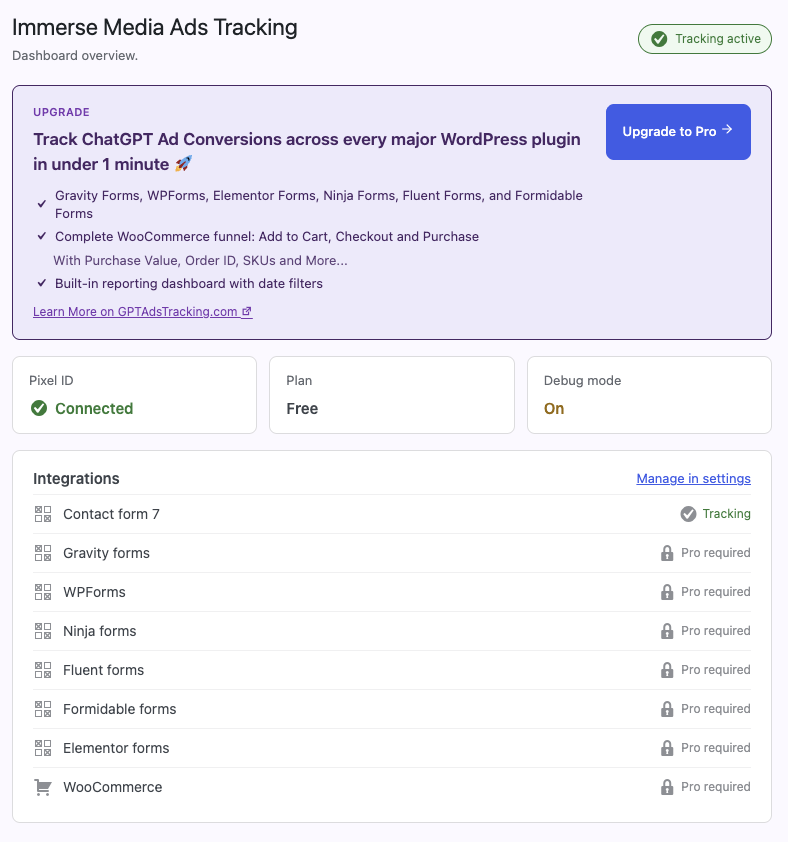
Immerse Media Ads Tracking connects your OpenAI Ads pixel to WordPress and automatically tracks Contact Form 7 submissions as conversion events, no code required.
What’s included
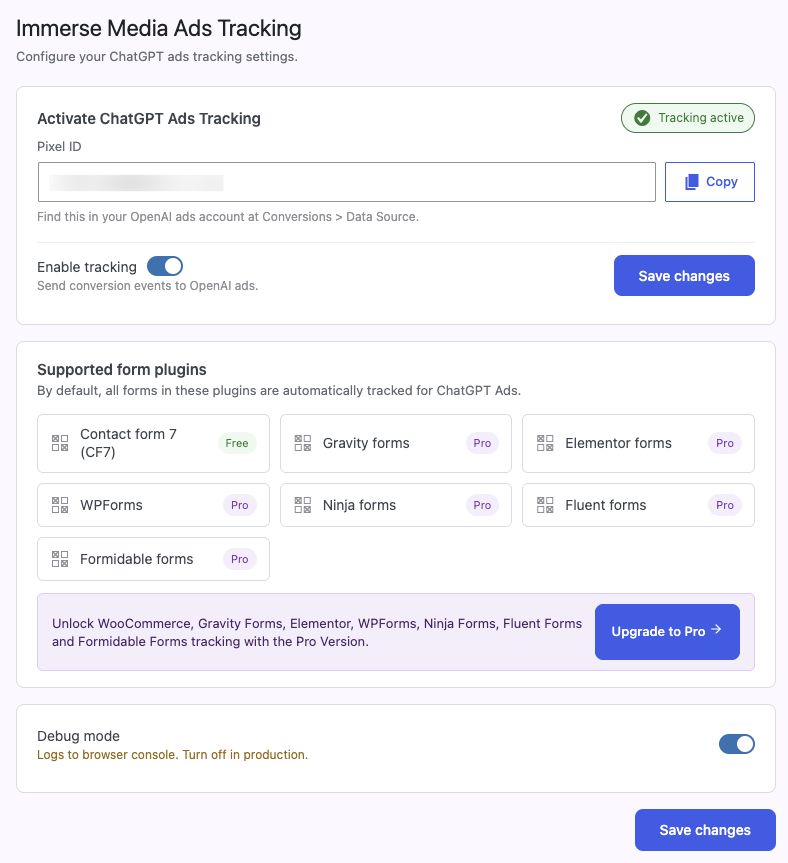
- Pixel connection (paste in your Pixel ID and you’re tracking)
- Automatic Contact Form 7 tracking
- Dashboard overview showing tracking status
Want to track more?
Pro is a separate, independently-sold plugin that adds:
- Gravity Forms, WPForms, Ninja Forms, Fluent Forms, Formidable Forms, and Elementor Forms tracking
- Full WooCommerce funnel: Add to Cart, Checkout Started, Purchase (with order value, order ID, and SKUs)
- A built-in reporting dashboard with date and integration filters
This plugin is fully functional on its own for Contact Form 7 tracking. Pro is a completely separate product, sold and hosted outside of WordPress.org.
Fota wobrazowki
Instalacija
- Upload the plugin files to
/wp-content/plugins/immerse-media-ads-tracking, or install it directly through the WordPress plugins screen. - Activate the plugin through the ‚Plugins‘ screen in WordPress.
- Go to Immerse Media Ads Tracking > Settings and paste in your Pixel ID (found in your OpenAI Ads account under Conversions > Data Source).
- Toggle „Enable tracking“ on and save changes.
- That’s it, Contact Form 7 submissions are tracked automatically.
HSP
-
Where do I find my Pixel ID?
-
In your OpenAI Ads account, under Conversions > Data Source. See our step-by-step guide for details.
-
Does this plugin track anything besides Contact Form 7?
-
Not on its own. Tracking Gravity Forms, WooCommerce, and other form plugins requires Pro, a separate product.
-
Does this slow down my site?
-
No. The tracking script only loads when tracking is enabled.
Pohódnoćenja

Sobuskutkowarjo a wuwiwarjo
„Immerse Media Ads Tracking – Track ChatGPT Ad Conversions“ je softwara wotewrjeneho žórła. Slědowacy ludźo su k tutomu tykačej přinošowali.
Sobuskutkowarjo
Přełožće „Immerse Media Ads Tracking – Track ChatGPT Ad Conversions“ do swojeje rěče.
Na wuwiću zajimowany?
Přehladajće kod, hladajće do SVN-repozitorija abo abonujće wuwiwanski protokol přez RSS.
Protokol změnow
1.0.10
- Simplified „GPT Ads Tracking Pro“ references to just „Pro“ in the plugin description and readme.
1.0.9
- Removed „WordPress“ from the plugin name/title – WordPress.org restricts use of their own trademarked term in plugin names, separate from the earlier ChatGPT/GPT naming issue.
1.0.8
- Renamed to „Immerse Media Ads Tracking – Track ChatGPT Ad Conversions in WordPress“. Slug changed to immerse-media-ads-tracking.
1.0.7
- Fixed installation instructions still referencing the old plugin folder path (/gpt-ads-tracking instead of /immerse-ads-tracking).
1.0.6
- Cleaned up remaining „GPT Ads Tracking“ references throughout the readme and admin pages (headings, menu label, support links) to consistently use the plugin’s actual name.
1.0.5
- Final naming tweak: „Immerse Ads Tracking – Track ChatGPT Ad Conversions in WordPress“ for extra clarity.
1.0.4
- Renamed plugin to „Immerse Ads Tracking – Track ChatGPT Ad Conversions“ per WordPress.org’s naming guidelines, since leading with „GPT“ implied an official connection to third-party technology. Slug changed to immerse-ads-tracking.
1.0.3
- Fixed remaining namespace collisions with GPT Ads Tracking Pro: admin menu slugs, script/style enqueue handles, and the JavaScript global namespace all renamed to be unique to this plugin. Fixes duplicated admin menus and a broken license page when both plugins are active together.
1.0.2
- Fixed a fatal error that occurred when GPT Ads Tracking Pro was active on the same site: all internal class names and constants renamed to avoid conflicting with the Pro plugin’s identically-named ones.
1.0.1
- Replaced raw inline <script> tag with wp_register_script()/wp_add_inline_script(), per WordPress.org’s enqueue requirements.
1.0.0
- Initial release. Contact Form 7 tracking.