

Wopisanje
Five Prayer is a WordPress plugin designed to display Muslim prayer times.
Who Can Benefit from Five Prayer?
This plugin is ideal for:
* Mosques and Islamic centers
* Community Masjids
* Any WordPress website that wants to display prayer times
More features will be added in future updates.
Five Prayer Introduction Video
Shortcodes
Use the following shortcodes to display prayer times on your website:
-
[Fp_TimeTable_Monthly]
Displays a monthly prayer timetable with the print option outside the table. (This is now the default behavior) -
[Fp_TimeTable_Monthly printer_option="outside"]
Displays a monthly prayer timetable with the print option outside the table. (This is now the default behavior) -
[Fp_TimeTable_Monthly printer_option="inside"]
Displays a monthly prayer timetable with the print option inside the table. -
[Fp_Vertical_Daily_Prayer]
Displays today’s prayer timetable in a vertical format.
For additional shortcodes, visit the Docs section in the Five Prayer UI.
Deprecated
Some legacy shortcodes are now deprecated (but still functional). Example:
– Deprecated: [Fp_Single_Fajr_Begins]
– New: [Fp_Single_Fajr_Begins_time]
For a complete list of New Shortcodes, please visit the Docs section.
After Activation
- You should see Five Prayer in your WordPress admin sidebar.
- Configuration is complete!
Features
Click to expand
- Full-year prayer timetable
- Print a specific month’s timetable
- Customizable timetable styles
- Add custom text and a logo when printing
- Add a custom location
- Hijri Calendar with multiple customization options
- Adjust the start date of Ramadan
- Custom Translation system
- Additional features such as Iqama delay (in minutes) and more
- Table Display Options: New settings to control which columns appear in prayer timetable displays.
- Custom Calculation Methods: Add, edit, or delete custom prayer calculation methods (MWL, ISNA, Umm Al-Qura, or your own custom method)
- Asr Calculation Methods: Choose between Standard (Shafii/Maliki/Hanbali) or Hanafi
- Midnight Calculation Modes: Standard or Jafari
- Higher Latitude Methods: For areas where the sun may not set or rise normally
- Data Management: Export, import, or reset your prayer calculation settings
- Enhanced Printing Features:
- Hide Printer Timetable Button option
- Hide Month Selection option
- Custom URL Button for printer redirect
- Auto-Print Page URL support
For more details, visit the Docs section in the Five Prayer UI.
Fota wobrazowki

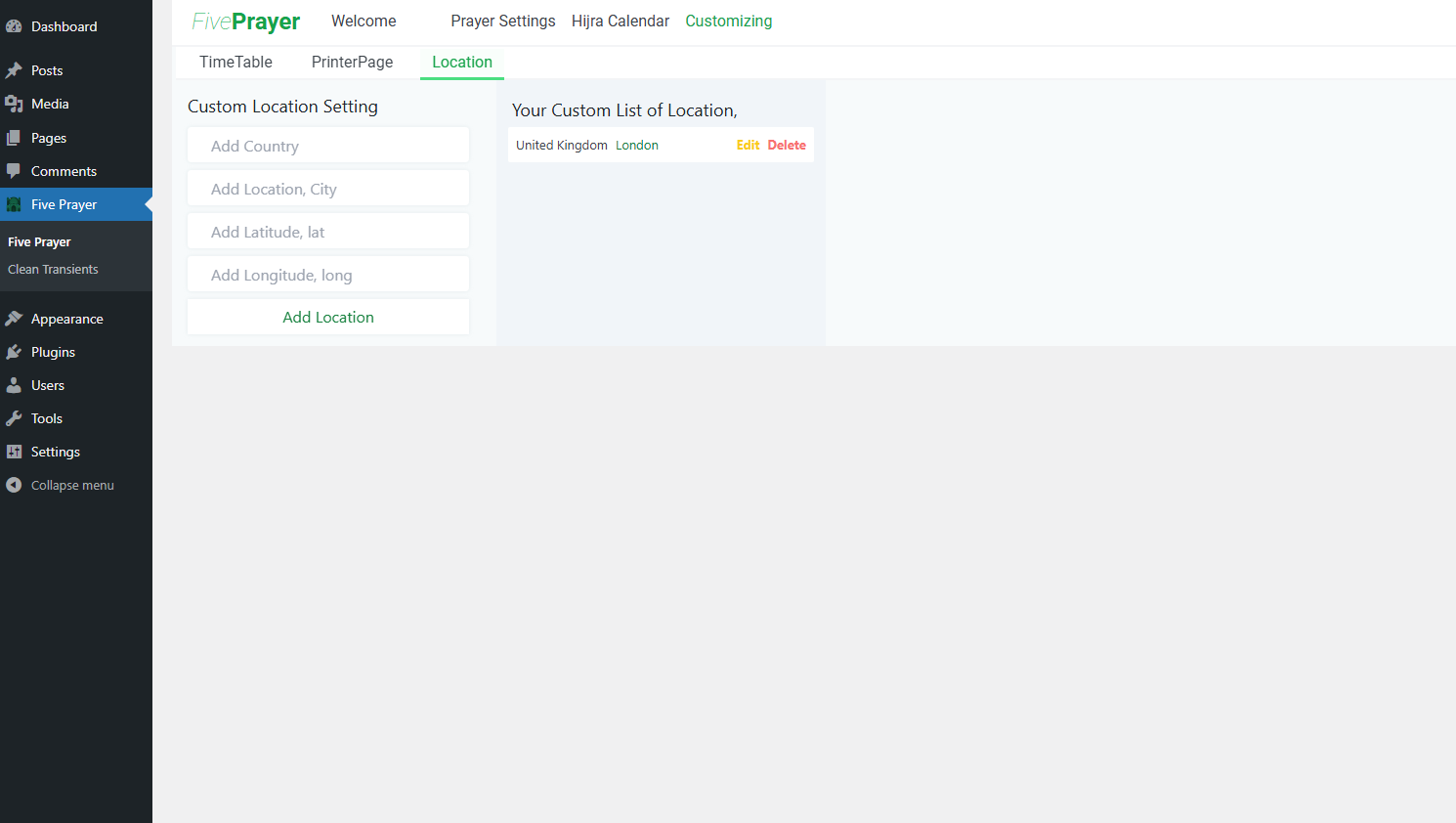

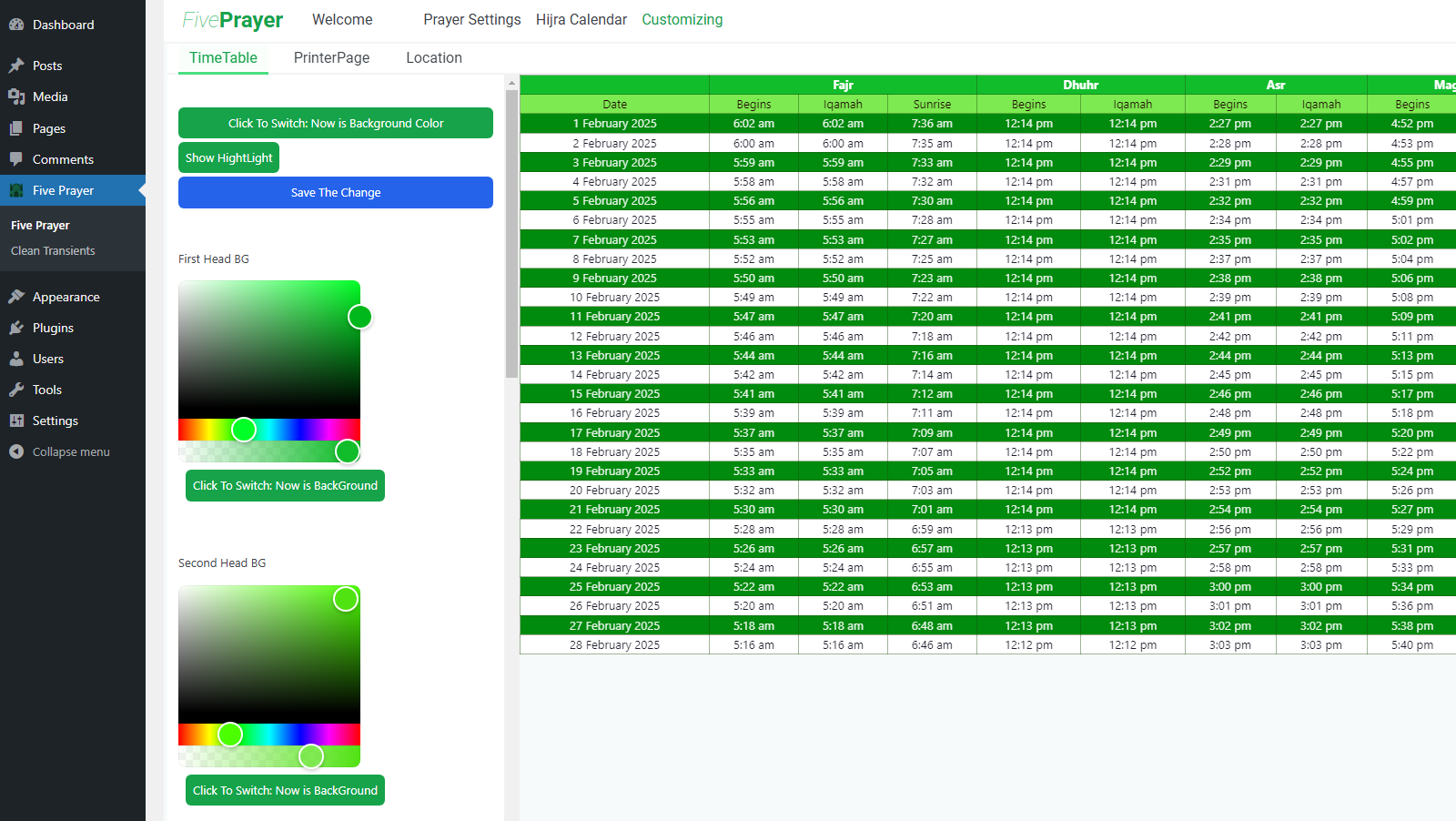
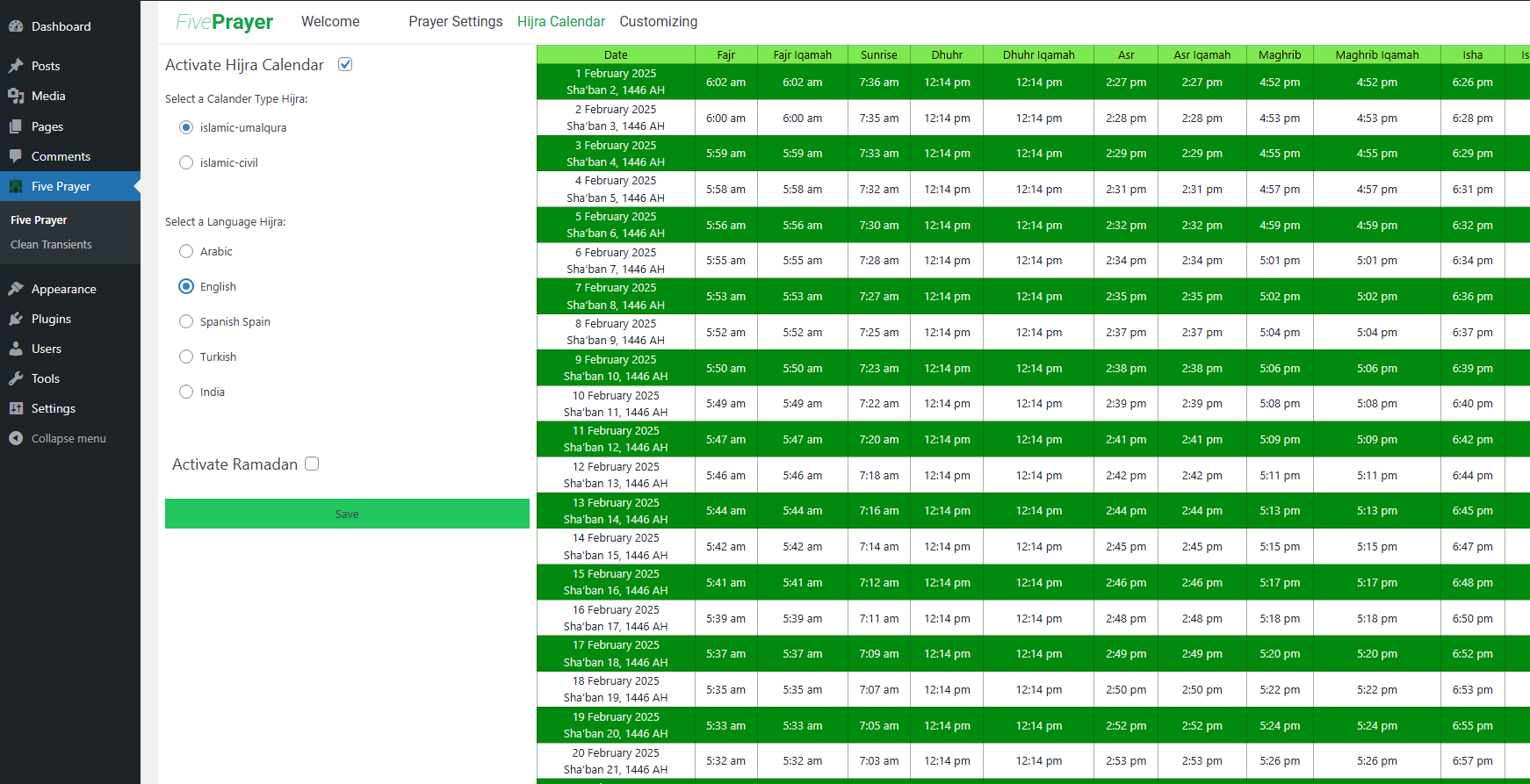
Bloki
Tutón tykač 3 bloki skići.
- TimeTable Prayer Displaying Monthly Timetable Prayer.
- Container Prayer A container block with nested elements and custom ID/class attributes
- Single Prayer Single Prayer Block
Instalacija
Automatic Installation
- Go to Plugins > Add New in your WordPress dashboard.
- Search for Five Prayer.
- Click Install Now when the plugin appears.
- Activate the plugin from the Plugins page.
Manual Installation
- Upload the Five Prayer folder to
/wp-content/plugins/. - Activate the Five Prayer plugin via the Plugins menu in WordPress.
HSP
-
How can I request a new feature?
-
Visit the Docs section within the Five Prayer UI for details on how to submit feature requests.
-
Does Five Prayer work with caching plugins?
-
Yes! The plugin is fully compatible with major caching plugins (WP Rocket, W3 Total Cache, etc.) and external object caches.
-
How do I clear the Five Prayer cache?
-
Cache clears automatically when settings change. For an immediate refresh, click the „Generate Calendar“ button in Prayer Settings.
Pohódnoćenja

Sobuskutkowarjo a wuwiwarjo
„Five Prayer“ je softwara wotewrjeneho žórła. Slědowacy ludźo su k tutomu tykačej přinošowali.
Sobuskutkowarjo
Přełožće „Five Prayer“ do swojeje rěče.
Na wuwiću zajimowany?
Přehladajće kod, hladajće do SVN-repozitorija abo abonujće wuwiwanski protokol přez RSS.
Protokol změnow
2.4.0
Click to expand
- NEW: Calculation Settings – Found under Customizing > Calculation Settings:
- 🕌 Prayer Calculation Methods: Add/edit/delete methods (MWL, ISNA, Umm Al-Qura, or custom).
- ☀️ Asr Calculation Methods: Standard (Shafii/Maliki/Hanbali) or Hanafi.
- 🌙 Midnight Calculation Modes: Standard or Jafari.
- 🌍 Higher Latitude Methods: For areas where sun may not set/rise normally.
- Flexible Input Format: Text fields accept degrees or minutes (e.g., „90 min“).
- Info Tooltips: Hover over ℹ️ icons for explanations and common values.
- NEW: Data Management Tab – Export, import, or reset settings:
- Export: Download calculation settings as backup file.
- Import: Restore settings from exported file.
- Reset: Clear all settings and start fresh.
- Documentation: Added Calculation Settings guide in Docs section.
- NEW: Enhanced Display Settings:
- Hide Printer Timetable Button option
- Hide Month Selection option
- Custom URL Button for printer redirect
- Auto-Print Page URL support
- New shortcodes:
[Fp_Printer_Button]and[Fp_Printer_Button_URL] - Printer button redirect with dynamic month selection
- Theme-consistent button styling
- Display Settings for printer button configuration
- Removed debug logs for cleaner production code
2.3.0
- Custom Prayer Schedule – set prayer times for specific dates or date ranges
- Page Builder Support – Elementor, Breakdance, Oxygen 6
- Performance Improvements – optimized database queries
- Print Layout Fix – spacing issues resolved
2.2.2
- FIXED: Printer Screen CSS overwriting issue that was incorrectly changing table styles and layout in print view.
- OPTIMIZED: Improved plugin performance through code refactoring and reduced database queries.
- IMPROVED: Enhanced the existing caching system for better memory usage and scalability on high-traffic sites.
- SECURITY: PHP error logging now only visible in development environment (WP_DEBUG mode).
2.2.1
- Fixed: Compatibility issues with various page builders.
- Improved: Added CurrentTime placeholder for easier styling.
2.2.0
-
Added: Table Display Options: New settings to control which columns appear in prayer timetable displays.
Skip Iqamah & Midnight Columns: When enabled, the Iqamah and Midnight columns will be hidden from monthly prayer tables, providing a cleaner view for users who don’t need these specific prayer times. This setting can be found in More Settings Display Settings. -
Fixed: Timezone Handling – Calendar generation now uses the timezone set in WordPress General Settings. Previously, it was using the local timezone of your computer. Now, it generates using the timezone you have configured in WordPress. For example, if your computer is in New York but you have chosen London in your WordPress General Settings, the calendar will generate in London time.
-
Fixed: Current Time Display – When a visitor views the website, they now see the current time based on the WordPress-configured timezone. Previously, it was showing the visitor’s local computer time. For example, if a visitor is in New York and the site’s WordPress timezone is set to London, they will see the current time for London, not New York.
2.1.1
- Compatible with WordPress 6.9
- Fixed: TimeTable One of The Columns not Translated
- Fixed: Layout of the TimeTable in The PrinterPage
- Improved: UI For Texts in the Admin
2.1.0
- Added new prayer names shortcodes and more
- Introduced Gutenberg blocks (including Container Prayer)
- Implemented Custom Translation system
- Improved shortcode consistency
- Removed: Clean Transients Sub Menu to simplify plugin codebase and improve performance.
- Added: Settings Sub Menu page in the admin menu First tab Manage translations, import/export custom translations, and reset behavior.
2.0.1
- Compatible with WordPress 6.8.1
- Added Facebook Community Group Link
2.0.0
- Major Update – Breaking Change release of Version 2.0.0
- Initial release of Version 2.0.0