
Wopisanje
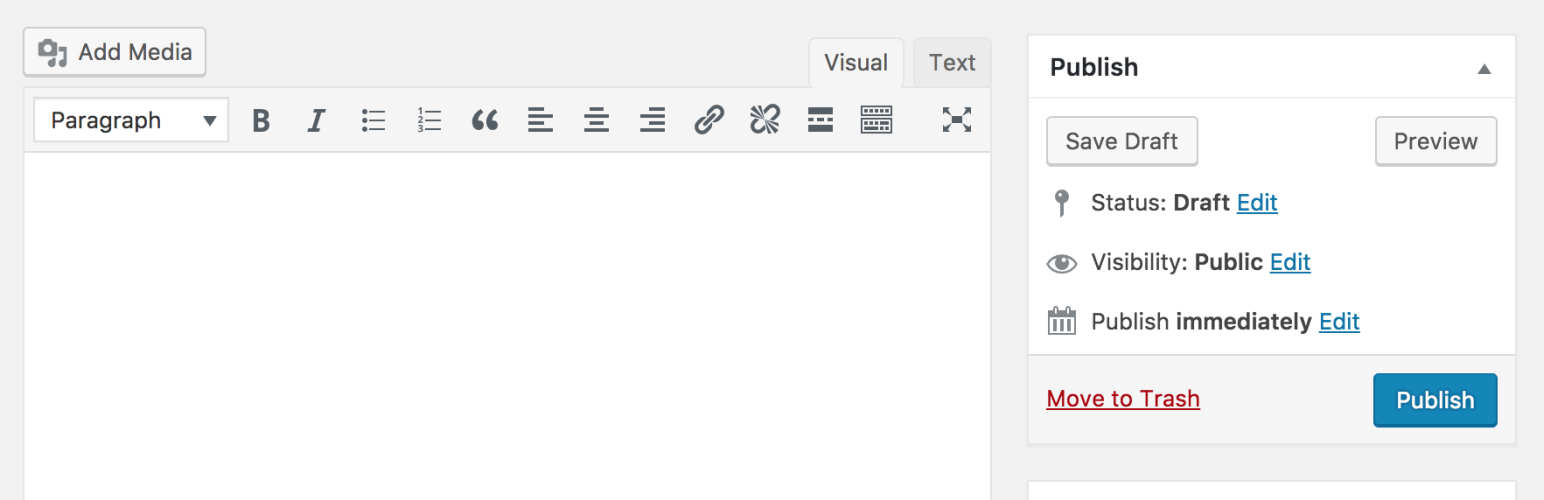
Classic Editor je oficielny tykač wudźeržany wot teama WordPress, kotryž prjedawši („klasiski“) editor WordPress a wobrazowku „Přinošk wobdźěłać“ wobnowja. Zmóžnja wužiwanje tykačow, kotrež tu wobrazowku rozšěrjeja, přidawa metakašćiki stareho stila abo tykače, kotrež hewak někak wot prjedawšeho editora wotwisuja.
Classic Editor is an official WordPress plugin, and will be fully supported and maintained until 2024, or as long as is necessary.
Krótko prajene, tutón tykač tole přidawa:
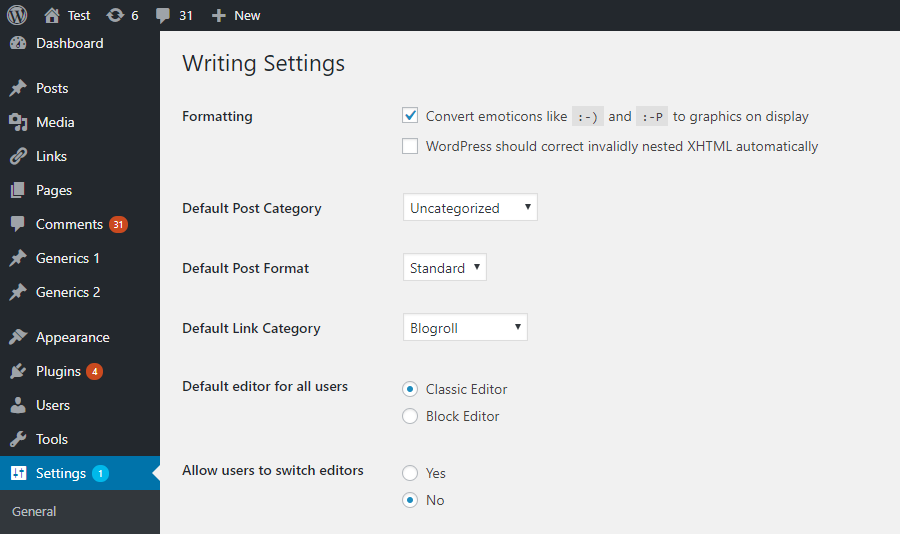
- Administratorojo móža standardny editor za wšěch wužiwarjow wubrać.
- Administratorojo móža wužiwarjam dowolić, jich standardny editor změnić.
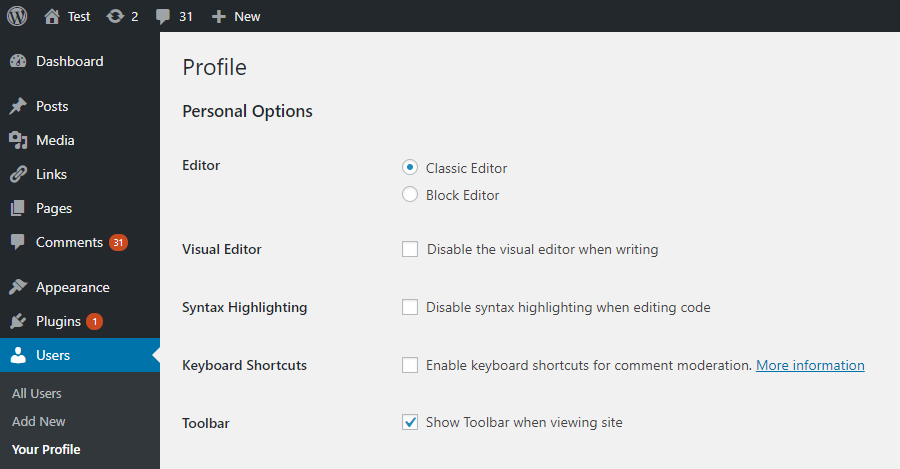
- Jeli dowolene, móža wužiwarjo editor za kóždy jednotliwy přinošk wubrać.
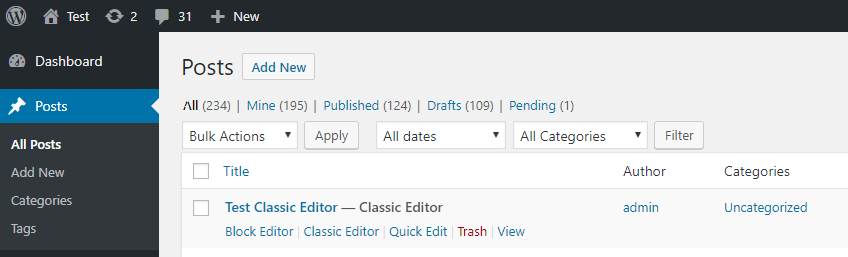
- Kóždy přinošk so w poslednime editorje wočinja, njedźiwajo wot toho, štóž je jón jako posledni wobdźěła. To je wažne za wobchowowanje konsistentneho nazhonjenja při wobdźěłowanju wobsaha.
Nimo toho tykač Classic Editor wjacore filtry wobsahuje, kotrež zmóžnjeja, zo druhe tykače nastajenja a wuběranje editora na přinošk a přinoškowy typ kontroluja.
Po standardźe tutón tykač wšě funkcije chowa, kotrež su w nowym blokowym editorje („Gutenberg“) k dispoziciji.
Fota wobrazowki
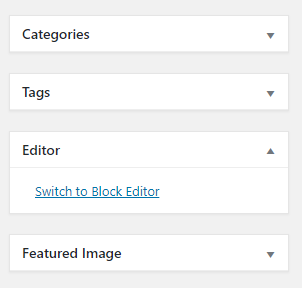
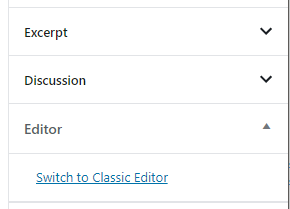

HSP
Standardne nastajenja
When activated and when using a classic (non-block) theme, this plugin will restore the previous („classic“) WordPress editor and hide the new block editor („Gutenberg“). These settings can be changed at the Settings => Writing screen.
Standardne nastajenja za syćowu instalaciju
Stej dwě móžnosći:
- When network-activated and when using a classic (non-block) theme, this plugin will set the classic editor as default and prevent site administrators and users from changing editors. The settings can be changed and default network-wide editor can be selected on the Network Settings screen.
- Hdyž syć aktiwizowana njeje, móže kóždy sydłowy adminsitrator tykač aktiwizować a nastajenja za swojich wužiwarjow wubrać.
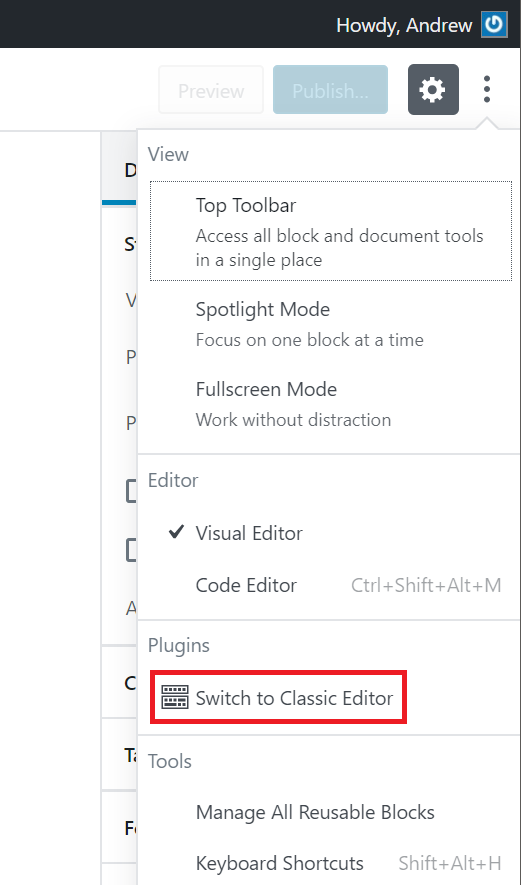
Wotkaz „Ke klasiskemu editorej přepinać“ njeda so namakać
To je w hłownym meniju blokoweho editora, hlejće tute foto wobrazowki
Does this work with full site editing and block themes?
No, as block themes rely on blocks. See Block themes article for more information.
Pohódnoćenja


Sobuskutkowarjo a wuwiwarjo
„Classic Editor“ je softwara wotewrjeneho žórła. Slědowacy ludźo su k tutomu tykačej přinošowali.
Sobuskutkowarjo


„Classic Editor“ je so do 77 rěčow přełožił. Dźakujemy so přełožowarjam za jich přinoški.
Přełožće „Classic Editor“ do swojeje rěče.
Na wuwiću zajimowany?
Přehladajće kod, hladajće do SVN-repozitorija abo abonujće wuwiwanski protokol přez RSS.
Protokol změnow
1.7.0
- Added a hotfix for crowded elements in the publishing actions area in WordPress 7.0. See Core-65286 for more information.
1.6.7
- Fixed loading of script translations when post.js is replaced in WordPress 6.7.1.
1.6.6
- Added fix for selecting/deselecting multiple unwanted categories in WordPress 6.7.1 when clicking on a category checkbox on the old Edit Post screen.
1.6.5
- Added fix for Safari 18 negative horizontal margin on floats.
1.6.4
- Added support for administrators to choose the default editor for other users.
1.6.3
- Added some WPCS fixes, props NicktheGeek on GitHub.
- Updated „Tested up to“ in the readme and removed it from classic-editor.php. This should fix false positive errors in security plugins in the future.
1.6.2
- Fixed bug that was preventing saving of the last used editor.
1.6.1
- Fixed a warning on the block editor based widgets screen.
- Fixed use of a deprecated filter.
1.6
- Zaktualizowany za WordPress 5.5.
- Snadne problemy z wołanjom zestarjenych funkcijow, njewužitneho registrowanja wotinstalowanskeje hoki a wulko-/małopisanja někotrych znamješkowych rjećazkow su so rozrisali.
1.5
- Zaktualizowany za WordPress 5.2 a Gutenberg 5.3.
- Logika za „přinoški za wobdźěłowanje w jako posledni wužitym editorje wočinić“ je so polěpšiła a porjedźiła.
- Přidawanje přinoškoweho statusa je so porjedźiło, zo bychu druhe tykače měli lochki přistup na njón.
1.4
- Na syćowych instalacijach je so wobmjezowanje jenož za syćowe aktiwizowanje wotstroniło.
- Podpěra za syćowych administratorow je so přidała, zo by standardny syćowy editor wubrała.
- Wotkaz nastajenjow je so we warnowanju na wobrazowce Wo syće porjedźił.
- Menijowy zapisk „Ke klasiskemu editorej přepinać“ je so menijej blokoweho editora přidał.
1.3
- Zmylk při wotstronjenju asistenta kontrolneje deski „Gutenberg wupruwować“ je so porjedźił.
- Wuměnjenje za pokazowanje zdźělenki po aktualizaciji na wobrazowce „Što je nowe?“ je so porjedźiło. Pokazuje so, hdyž je klasiski editor wubrany a wužiwarjo njemóža editory wuměnić.
1.2
- Přepinanje editorow je so z wobrazowki Nowy přidać (přinošk) porjedźiło, prjedy hač je so naćiskowy přinošk składował.
- Pisanski zmylk je so porjedźił, kotryž je k wotprašowanskej wariabli
classic-editorwobdźěłowanski URL připowěsnył. - Zwěsćenje WordPress 5.0 je so změniło, zo njeby so wersijowa kontrola wužiwała. Porjedźi zmylk při testowanju 5.1-alpha.
- Standardna hódnota nastajenja je so změniła, zo by so wužiwarjam dowoliło, editory na false stajić.
- Znjemóžnjenje tykača Gutenberg je so přidało a trěbna wersija WordPress je so na 4.9 znižiła.
- Filter
classic_editor_network_default_settingsje so přidał
1.1
Zmylk je so porjedźił, přez kotryž je so spytało, blokowy editor za přinoškowe typy začitać, kotrež editor njepodpěruja, hdyž wužiwarjo smědźa editory přepinać.
1.0
- Zaktualizowany za WordPress 5.0.
- Wšě mjena/referency „Gutenberg“ su so do „blokowy editor“ změnili.
- Wužiwarski powjerch nastajenjow je so zaktualizował.
- Znjemóžnjenje tykača Gutenberg je so wotstroniło. Je so za testowanje we WordPress 4.9 přidało. Wužiwarjo, kotřiž chcedźa dale wuwiwanju Gutenberg we WordPress 5.0 a w nowšich wersijach slědować, njetrjebaja druhi tykač, zo by jón znjemóžnił.
- Podpěra za indiwiduelne nastajenja standardneho editora je so přidała.
- Podpěra za administratorow je so přidała, zo bychu standardny editor za sydło nastajili.
- Podpěra za administratorow je so přidała, zo bychu wužiwarjam dowolili, jich standardny editor změnić.
- Podpěra za syćowych administratorow je so přidała, zo bychu so sydłowi administratorojo při měnjenju standardnych nastajenjow haćili.
- Podpěra je so přidała, zo by so posledni editor za kóždy přinošk składował a přichodny raz wočinił. Je zmóžnjeny, hdyž wužiwarjo móža standardny editor wubrać.
- Status „post editor“ je so w nalistowanju přinoškow na wobrazowce Přinoški přidał. Pokazuje editor, kotryž so za přinošk wočinja. Zmóžnjeny, hdyž wužiwarjo móža standardny editor wubrać.
- Filtraj
classic_editor_enabled_editors_for_postaclassic_editor_enabled_editors_for_post_typestej so přidałoj. Datej so přez druhe tykače wužiwać, zo byštej editor kontrolowałoj abo přepisałoj, kotryž za wěsty přinošk přinoškoweho typa wužiwa. - Filter
classic_editor_plugin_settingsje so přidał. Da so přez druhe tykače wužiwać, zo by nastajenja přepisał a wužiwarski powjerch znjemóžnił.
0.5
- Zaktualizowany za Gutenberg 4.1 a WordPress 5.0-beta1.
- Někotre funkcije, kotrež nětko w Gutenberg eksistuja, su so wotstronili.
- Dalesposrědkowanje ke klasiskemu editorej je so porjedźiło, po tym zo su so sej wersije přinoškow wobhladali.
0.4
- Wotstronjenje namołwy „Gutenberg testować“ je so porjedźiło, hdyž tykač Gutenberg aktiwizowany njeje.
- Je so porjedźiło, zo bychu so nastajenja a wotkaz nastajenjow w lisćinowej tabeli tykačow přeco pokazowali.
- Tekst readme je so zaktualizował.
0.3
- Nastajenje je so z kontrolneho kašćika do wjacorych opciskich tłóčatkow zaktualizowało, zda so jasniše być. Dźakujemy so @designsimply za namjety za popisowy tekst.
- Někotre powšitkowne aktualizacije a porjedźenje.
0.2
- Aktualizacija za Gutenberg 1.9.
- Warnowanje a awtomatiske znjemóžnjenje stej so wotstroniłoj, hdyž Gutenberg aktiwny njeje.
0.1
Prěnje wozjewjenje.