
Wopisanje
Easy and simple create booking, shopping cart, payment plugin code, just copy and paste to your website
Widget
In the Appearance -> Widgets in WordPress 2.8 or newer you’ll find the button generator widget. After adding it to your sidebar you can enter a title for the Widget, some descriptive text that will appear above the button and specify an optional purpose and reference for the donation button to override the default settings.
Fota wobrazowki
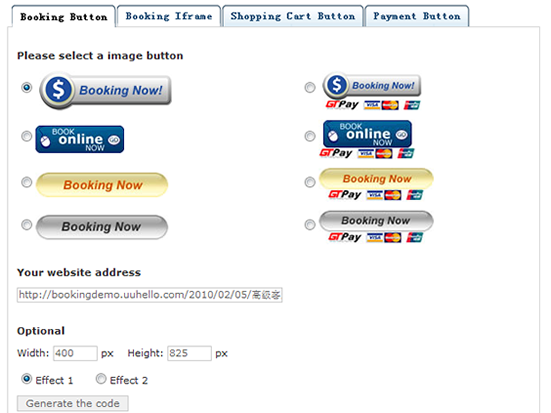

Instalacija
Install
- Upload the ‚button-generator‘ folder to the ‚/wp-content/plugins/‘ directory.
- Activate the plugin through the ‚Plugins‘ menu in WordPress.
- Go to Settings -> button generator and start entering your info.
Uninstall
- Deactivate button generator in the ‚Plugins‘ menu in WordPress.
- After Deactivation a ‚Delete‘ link appears below the plugin name, follow the link and confim with ‚Yes, Delete these files‘.
- This will delete all the plugin files from the server as well as erasing all options the plugin has stored in the database.
HSP
- Link
-
More details http://button.uuhello.com
Pohódnoćenja
Za tutón tykač pohódnoćenja njejsu.
Sobuskutkowarjo a wuwiwarjo
„Button Generator“ je softwara wotewrjeneho žórła. Slědowacy ludźo su k tutomu tykačej přinošowali.
Sobuskutkowarjo
Přełožće „Button Generator“ do swojeje rěče.
Na wuwiću zajimowany?
Přehladajće kod, hladajće do SVN-repozitorija abo abonujće wuwiwanski protokol přez RSS.
Protokol změnow
1.0
- First version