
Wopisanje
Admin Compass improves how you navigate your WordPress WP-Admin Dashboard. With a simple interface inspired by MacOS tools like Raycast or Alfred, it offers fast search capabilities, allowing you to quickly find and access posts, pages, products, settings, and more.
This is open beta which means some features still need testing, see FAQ for more details.
Key Features:
- Fast search across all your WordPress content thanks to dedicate search index
- Elegant, minimalistic interface doesn’t clutter your Admin area
- Keyboard navigation for quick access
- Searches posts, pages, settings, WooCommerce orders, and products
Whether you’re managing a small blog or a large e-commerce site, Admin Compass helps you navigate your WordPress admin area with ease and efficiency.
Fota wobrazowki
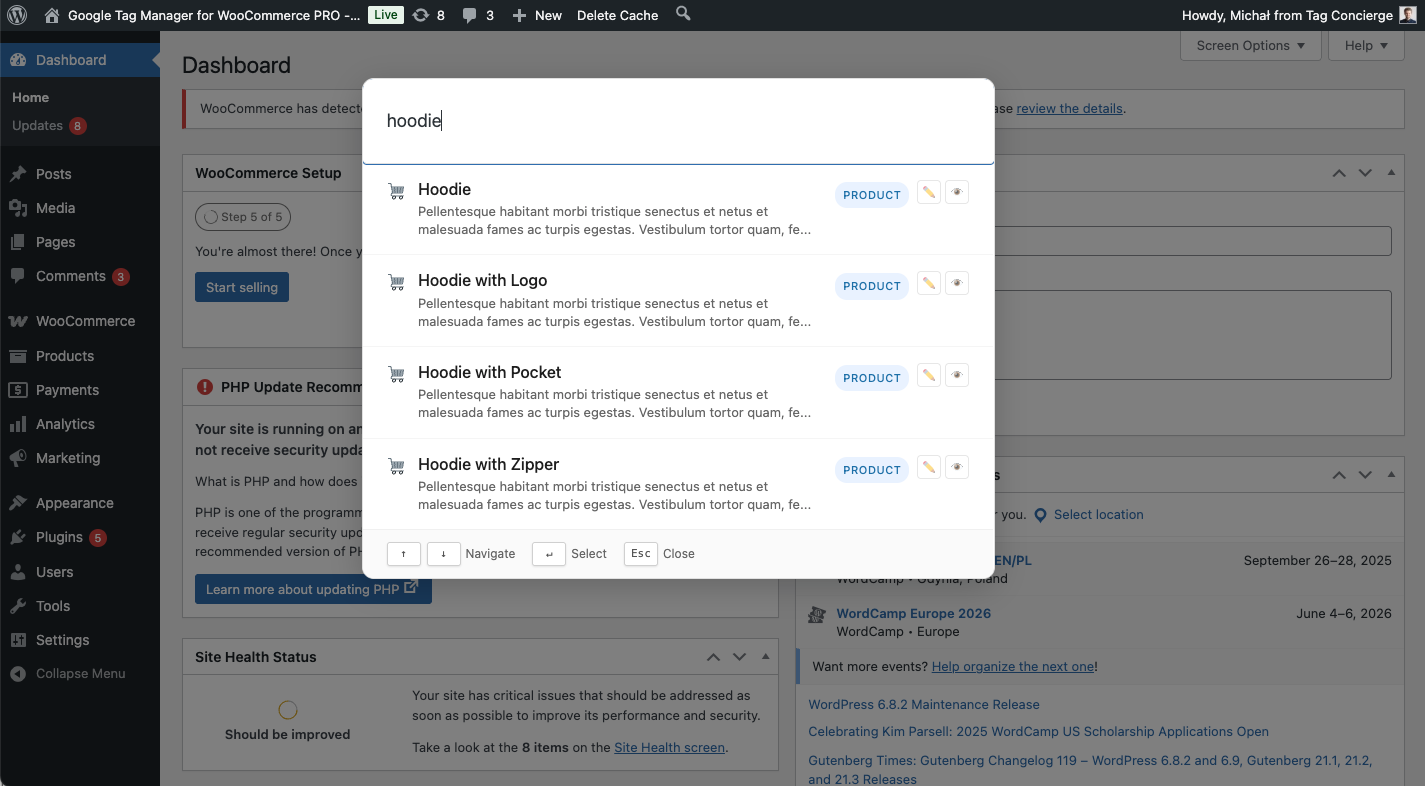
Instalacija
- Upload the
admin-compassfolder to the/wp-content/plugins/directory - Activate the plugin through the ‚Plugins‘ menu in WordPress
- Use the keyboard shortcut (default: Ctrl + Shift + F) or click the „magnifying glass“ icon in the admin bar to open the search palette
HSP
-
Is this production ready?
-
This is currently an open beta, ready for testing. It doesn’t perform any destructive operations since it generates a dedicated search index.
-
How do I open the search palette?
-
You can open the search palette by using the keyboard shortcut Ctrl + Shift + F, or by clicking the „magnifying glass“ icon in the WordPress admin top-bar.
-
Why not the built-in WordPress Command Palette
-
I know there is already a command palette built into the WordPress editor (link). The problem is that it’s only available when editing posts or pages with default WordPress editor, so it’s not global. Also it seems the development stopped.
-
Can I change the keyboard shortcut?
-
Currently, the keyboard shortcut is not customizable, but we’re planning to add this feature in a future update.
-
Is this plugin compatible with WooCommerce?
-
Yes, it supports searching and navigating to orders and products.
-
Can I use this plugin on a multisite installation?
-
While the plugin should work on individual sites within a multisite installation, it has not been extensively tested in a multisite environment. Use with caution and test thoroughly.
Pohódnoćenja
Za tutón tykač pohódnoćenja njejsu.
Sobuskutkowarjo a wuwiwarjo
„Admin Compass“ je softwara wotewrjeneho žórła. Slědowacy ludźo su k tutomu tykačej přinošowali.
Sobuskutkowarjo
Přełožće „Admin Compass“ do swojeje rěče.
Na wuwiću zajimowany?
Přehladajće kod, hladajće do SVN-repozitorija abo abonujće wuwiwanski protokol přez RSS.
Protokol změnow
1.3.0
- Various UI/UX improvements
- Move from SQLite to MySQL search index
- Proper support for WooCommerce
- Ability to view or edit found items
- Recent items list
1.2.0
- Clicking outside Search Palette closes it
- Handle updates and search index recreation
- Improved admin settings naming
- Fix JS error
1.1.0
- Protect search index from public access
1.0.0
- Initial release