

Wopisanje
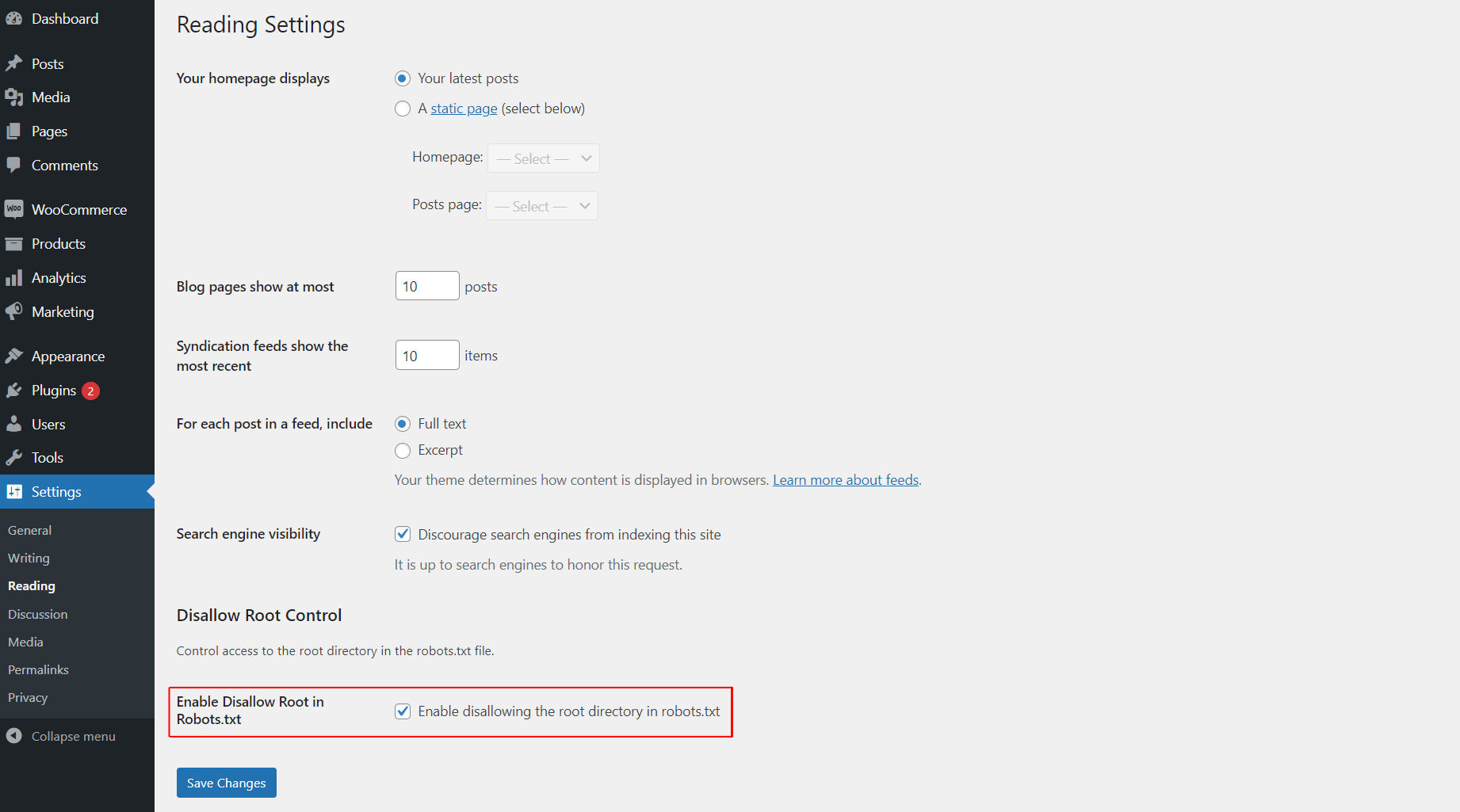
This plugin allows you to easily control whether search engines are disallowed from accessing the root directory of your WordPress site by modifying the robots.txt file. You can enable or disable this functionality from the „Reading“ settings page.
Fota wobrazowki
Instalacija
- Upload the
awp-disallow-root-controlfolder to the/wp-content/plugins/directory. - Activate the plugin through the ‚Plugins‘ menu in WordPress.
- Go to the „Reading“ settings page to enable or disable the disallow root functionality.
HSP
-
How do I enable or disable disallowing access to the root directory?
-
After activating the plugin, go to the „Reading“ settings page in WordPress and check the option to enable disallowing access to the root directory. If unchecked, the functionality will be disabled.
Pohódnoćenja

25. septembra 2025
Best and effective plugin.

25. septembra 2025
Use it for best control

25. septembra 2025
best and easy to use this plugin

25. septembra 2025
I love this plugin! It makes controlling search engine access to my site’s root directory super easy with just a simple toggle in the settings. A must-have for every WordPress user
Sobuskutkowarjo a wuwiwarjo
„AWP Disallow Root Control“ je softwara wotewrjeneho žórła. Slědowacy ludźo su k tutomu tykačej přinošowali.
Sobuskutkowarjo
Přełožće „AWP Disallow Root Control“ do swojeje rěče.
Na wuwiću zajimowany?
Přehladajće kod, hladajće do SVN-repozitorija abo abonujće wuwiwanski protokol přez RSS.
Protokol změnow
1.0.0
- Initial release.
1.0.1
- Update plugin comment message, banner and icon.