

Wopisanje
Developers often symlink plugins from a shared folder into several WordPress sites. Updating or deleting such a plugin from one site changes it for all of them.
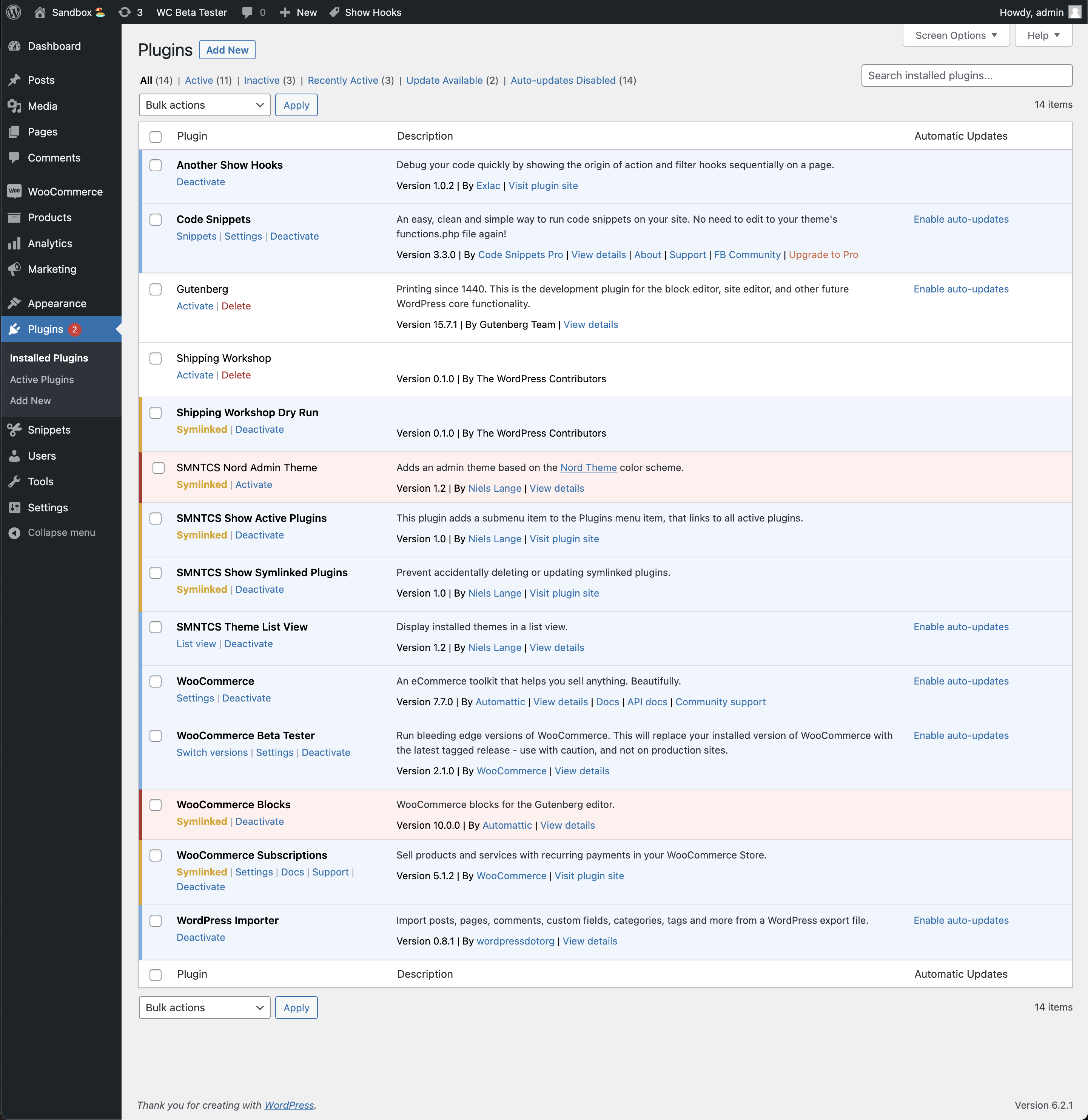
SMNTCS Show Symlinked Plugins labels symlinked plugins on the Plugins page and hides their delete link and update notice, so they cannot be removed or updated by accident.
Contribute
Contributions are more than welcome. Simply head over to GitHub and open an issue or a pull request.
Fota wobrazowki
Instalacija
- Upload
smntcs-show-symlinked-pluginsto the/wp-content/plugins/directory. - Activate the plugin through the
Pluginsmenu in WordPress.
HSP
-
A symlinked plugin folder is suddenly empty. Why?
-
The plugin only hides the update and delete links. It cannot stop other tools from changing the folder, for example automatic updates run by your host or by another site that shares the same plugin folder. Check the automatic update settings of every site that uses the shared folder.
Pohódnoćenja

Sobuskutkowarjo a wuwiwarjo
„SMNTCS Show Symlinked Plugins“ je softwara wotewrjeneho žórła. Slědowacy ludźo su k tutomu tykačej přinošowali.
Sobuskutkowarjo
„SMNTCS Show Symlinked Plugins“ je so do 2 rěčow přełožił. Dźakujemy so přełožowarjam za jich přinoški.
Přełožće „SMNTCS Show Symlinked Plugins“ do swojeje rěče.
Na wuwiću zajimowany?
Přehladajće kod, hladajće do SVN-repozitorija abo abonujće wuwiwanski protokol přez RSS.
Protokol změnow
1.7 (2026.09.27)
- Clarify the licence as GPL v2 or later
- Remove duplicated FAQ entries from the readme
1.6 (2026.09.26)
- Test up to WordPress 7.1
- Update development dependencies and GitHub Actions
1.5 (2026.08.14)
- Test up to WP 7.0
1.4 (2025.03.20)
- Test up to WP 6.8
1.3 (2023.10.24)
- Encapsulated JS within anonymous function
1.2 (2023.10.21)
- Test up to WP 6.4
1.1 (2023.06.12)
- Add screenshot
1.0 (2023.05.15)
- Initial release