Title: Black Studio TinyMCE Widget
Author: Black Studio
Published: <strong>10. nowembra 2011</strong>
Last modified: 8. měrca 2026

---

Tykače pytać
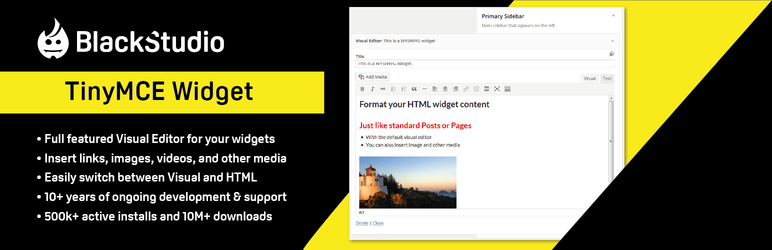
![](https://ps.w.org/black-studio-tinymce-widget/assets/banner-772x250.png?rev=2627604)

![](https://ps.w.org/black-studio-tinymce-widget/assets/icon.svg?rev=2627604)

# Black Studio TinyMCE Widget

 Wot [Black Studio](https://profiles.wordpress.org/black-studio/)

[Sćahnyć](https://downloads.wordpress.org/plugin/black-studio-tinymce-widget.2.7.3.zip)

 * [Podrobnosće](https://hsb.wordpress.org/plugins/black-studio-tinymce-widget/#description)
 * [Pohódnoćenja](https://hsb.wordpress.org/plugins/black-studio-tinymce-widget/#reviews)
 *  [Instalacija](https://hsb.wordpress.org/plugins/black-studio-tinymce-widget/#installation)
 * [Wuwiće](https://hsb.wordpress.org/plugins/black-studio-tinymce-widget/#developers)

 [Podpěra](https://wordpress.org/support/plugin/black-studio-tinymce-widget/)

## Wopisanje

This plugin adds a new `Visual Editor` widget type that allows you to insert rich
text and media objects in your sidebars with no hassle. With Black Studio TinyMCE
Widget you will be able to edit your widgets in a WYSIWYG manner using the native
WordPress TinyMCE editor, just like you do in posts and pages. And if you are a 
developer you may still switch back and forth from Visual to HTML mode.

For years the default WordPress text widget has been very basic and it required 
HTML knowledge to add formatting and images/media to the text. This plugin was born
in 2011 to overcome these limitations. After a long time, in June 2017, version 
4.8 of WordPress finally introduced a new text widget that included the ability 
to manage text widgets with the visual editor. The new widget available in WordPress
core could now be used as a basic replacement of Black Studio TinyMCE Widget, but
the plugin still offers some additional features, so it remains a must-have for 
advanced users.

#### Basic Features

 * Add rich text widgets to your sidebars and edit them using the TinyMCE visual
   editor
 * Switch between Visual mode and HTML mode (including Quicktags toolbar)
 * Insert images, videos, and other media from WordPress Media Library
 * Insert links to existing WordPress pages/posts or external resources
 * Support for shortcodes, smilies and embed in widget text (including preview)
 * Support for the Block-based Widgets Editor introduced with WordPress 5.8
 * Support for Customizer with live preview and quick edit
 * Support for widgets accessibility mode
 * Compatible with multi-site (WordPress networks)
 * Compatible with the most common multi-language plugins
 * Compatible with Page Builder plugin by SiteOrigin
 * Translations available in 20+ languages

#### Advanced Features

These features are what makes this plugin better than the WordPress (4.8+) native
widget:

 * Full featured TinyMCE Visual Editor (the same you have for pages and posts)
 * Wide text area for an enhanced editing experience
 * Compatible with 3rd party TinyMCE customization plugins (TinyMCE Advanced, WP
   Edit, …)
 * Support for distraction-free (fullscreen) editing mode
 * Option to „Automatically add paragraphs“ to widget text

#### About the plugin

The story of the plugin was featured in a talk at WordCamp Europe 2018 in Belgrade.

See the video [Once upon a time, there was a plugin…](https://wordpress.tv/2018/07/11/francesco-canovi-marco-chiesi-once-upon-a-time-there-was-a-plugin/)
on WordPress.tv.

#### Links

 * [Author’s web site](https://www.blackstudio.it/en/)
 * [Plugin’s page](https://www.blackstudio.it/en/wordpress-plugins/black-studio-tinymce-widget/)
 * [FAQ](https://wordpress.org/plugins/black-studio-tinymce-widget/faq/)
 * [Support forum](https://wordpress.org/support/plugin/black-studio-tinymce-widget)
 * Follow us on [Twitter](https://twitter.com/blackstudioita), [Facebook](https://www.facebook.com/blackstudiocomunicazione),
   [LinkedIn](https://www.linkedin.com/company/black-studio) and [GitHub](https://github.com/black-studio)

#### Get involved

 * Developers can contribute to the source code on our [GitHub repository](https://github.com/black-studio/black-studio-tinymce-widget).
 * Translators can contribute through the [Official WordPress Translation platform](https://translate.wordpress.org/projects/wp-plugins/black-studio-tinymce-widget).
 * Users can contribute by leaving a 5 stars [review](https://wordpress.org/support/view/plugin-reviews/black-studio-tinymce-widget#postform)
   or making a [donation](https://www.blackstudio.it/en/wordpress-plugins/black-studio-tinymce-widget/).

## Fota wobrazowki

 * [[
 * Black Studio TinyMCE Widget in Visual mode
 * [[
 * Black Studio TinyMCE Widget in HTML mode
 * [[
 * Black Studio TinyMCE Widget combined with WP Edit plugin

## Instalacija

This section describes how to install and use the plugin.

 1. Install automatically through the `Plugins` menu and `Add New` button (or upload
    the entire `black-studio-tinymce-widget` folder to the `/wp-content/plugins/` directory)
 2. Activate the plugin
 3. Go to `Appearance` => `Widgets`
 4. Drag and drop the `Visual Editor` widget to the desired sidebar (or, if using Accessibility
    mode, click the `Add` link)
 5. Fill in title and (rich) text

Note: the plugin doesn’t have nor requires any settings.

## HSP

### Purpose of the plugin

This plugin gives you the ability to use the WordPress visual editor (TinyMCE) in
widgets as you do in posts and pages, but it doesn’t affect the editor behavior 
itself or its functionalities. If you are looking for additional editor features,
take a look at plugins like [WP Edit](https://wordpress.org/plugins/wp-edit/), [TinyMCE Advanced](https://wordpress.org/plugins/tinymce-advanced/)
or any other feature specific plugin you may need. Any additional TinyMCE plugin
written following WordPress guidelines should work fine with Black Studio TinyMCE
Widget.

### Troubleshooting

If you are experiencing issues with the plugin please read entirely these FAQ before
posting a new topic in our [support forum](https://wordpress.org/support/plugin/black-studio-tinymce-widget).
Most of the times issues are caused by incompatibility with other plugins or themes,
which may prevent our plugin from working as expected. In order to troubleshoot 
issues please complete the following steps:

 1. First, ensure you have understood the purpose of the plugin. What this plugin does
    is to give you the ability to use the WordPress visual editor (TinyMCE) in widgets
    as you do in posts and pages, but it doesn’t alter the editor behavior itself or
    its functionalities. So if you are experiencing issues with the editor even when
    editing posts or pages, they’re definitely not related to our plugin (unless you’re
    using some additional plugins that provide widgets support for pages, i.e. Page
    Builder).
 2. Ensure that you are running the latest versions of both WordPress and the plugin.
 3. Search in our [support forum](https://wordpress.org/support/plugin/black-studio-tinymce-widget)
    for threads with similar issues.
 4. Disable all other plugins and check if the problem is fixed. In that case, enable
    the other plugins one by one and figure out which one is causing the issue. Please
    see [Conflict Diagnosis Guide for WordPress plugins](https://rtcamp.com/rtmedia/docs/troubleshooting/conflict-diagnosis-guide-wordpress-plugins/)
    for further info.
 5. If the problem persists even with all other plugins disabled, try to switch to 
    a WordPress default theme (i.e. Twenty Fifteen) and check if that fixes the issue.

If you found a conflict with a plugin or theme, or if your problem is still present
after the steps above, open a topic in the [support forum](https://wordpress.org/support/plugin/black-studio-tinymce-widget)
and provide the following information:

 * Detailed description of the problem, including the steps to reproduce it
 * Location(s) where the problem occurs (Appearance -> Widgets, Theme Customizer,
   Accessibility mode, Page Builder, etc)
 * Error messages, if any, in particular in [browser’s javascript console](https://webmasters.stackexchange.com/questions/8525/how-to-open-the-javascript-console-in-different-browsers)
 * Browser and Operating System in use
 * Plugin version in use
 * WordPress version in use
 * WordPress theme in use
 * WordPress language in use, if other than English
 * WordPress plugins causing conflicts, if any
 * A link to a screenshot, if it can be useful to understand the problem
 * A link to your website, if it can be useful to show the problem

### Can’t find it in my available widgets

Since version 1.3.1 the name of the widget changed from `Black Studio TinyMCE Widget`
to `Visual Editor` to enhance user-friendliness. `Black Studio TinyMCE Widget` is
still the name of the plugin, but it was a bit too long and not very intuitive for
inexperienced users. You may find references to the old name in articles and videos
on the web, so don’t panic if you don’t see the `Black Studio TinyMCE Widget` in
your available widgets, just look for `Visual Editor`. Note: if you are using WordPress
in a language other than English you may have a corresponding name translated into
your language.

### Widgets disappeared after migrating or changing the site URL

When dealing with a WordPress site URL change it is necessary to face the serialized
fields issue: data may become corrupted if using a simple search/replace (see the
[Codex](https://codex.wordpress.org/Moving_WordPress#When_Your_Domain_Name_or_URLs_Change)
for further info). This is not an issue specifically related to our plugin, but 
it affects all the parts (plugins, themes and WordPress core files too) that use
serialized data archiving. When changing the site URL, the recommended way is to
use the [Search and Replace for WordPress Databases Script](https://interconnectit.com/products/search-and-replace-for-wordpress-databases/),
as suggested by the Codex.

### How to translate widgets using WPML

[WPML](https://wpml.org) is the leading commercial plugin for WordPress multi-language
sites.
 If you’re using WPML v3.8 or newer and you need to translate a widget, we
recommend to create a separate widget for each language of your site and assign 
the language to each widget accordingly using the selector „Display on language“
provided by WPML. This way you will be able to work with the visual editor also 
for translations. For older versions of WPML (up to 3.7.x), we recommend to install
the 3rd party [WPML Widgets](https://wordpress.org/plugins/wpml-widgets/) plugin,
which provides the same feature described above, that was not available natively
on WPML. In the past, we also suggested to translate the widgets using the official
WPML String Translation plugin, but this method is now deprecated as it was not 
very friendly due to the inability of using the visual editor for translations. 
If you were using WPML String Translation, we recommend to switch to the aforementioned
translation method and remove the entries in WPML String Translation list after 
you moved them to be real widgets. Starting from version 2.6.0 of Black Studio TinyMCE
Widget, a warning will be displayed if any deprecated translation is detected.

### How to embed video and other contents

WordPress has a nice [autoembed feature](https://codex.wordpress.org/Embeds) that
allows you to embed videos and other stuff in an easy way, by just putting the URL
in the content area. This is also possible for widgets created with this plugin.

If you are using a version of WordPress prior to 4.0 or a version of Black Studio
TinyMCE Widget prior to 2.0, for best results it is recommended to put the URL inside
an `[embed]` shortcode. Example: [embed]https://www.youtube.com/watch?v=XXXXXXXXXXX[/
embed] Ensure that the URL has not a hyperlink. Alternatively, if you don’t want
to use `[embed]` shortcode, ensure that the URL is not surrounded by a `<p>` tag.

### How to customize widget appearance

The appearance of widgets in the frontend depends on both CSS and HTML. This plugin
does not insert any additional CSS to your website frontend, so if you need to customize
the styling you’ll have to do at theme level, or you have to insert explicitly insert`
<style>` in your widget using the Text / HTML mode (this option is not recommended
though).
 As for the HTML, most of the markup is controlled by WordPress and by 
the theme. The HTML output of a widget includes the following parts:

    ```
    {before_widget}
        {before_title}
            {title}
        {after_title}
        {before_text}
            {text}
        {after_text}
    {after_widget}
    ```

which can be customized as following:

 * The `{title}` and `{text}` are the values that you insert in Widgets administration
   panel.
 * The markup of `{before_widget}`, `{after_widget}`, `{before_title}`, `{after_title}`
   is usually defined by your theme when registering a sidebar with the [`register_sidebar`](https://codex.wordpress.org/Function_Reference/register_sidebar)
   function.
 * The `{before_text}` and `{after_text}` are the only piece of HTML markup added
   by the plugin. The default markup is the same as native WordPress text widgets
   to ensure visual compatibility with styles created for text widgets: `<div class
   ="textwidget"> {text} </div>`. You may customize the markup using the `black_studio_tinymce_before_text`
   and `black_studio_tinymce_after_text` filter hooks. They both take two parameters,
   the first is the default text and the second is the widget instance. See examples
   below.

Example 1: Custom markup for `{before_text}` and `{after_text}`

    ```
    add_filter( 'black_studio_tinymce_before_text', 'my_widget_before_text', 10, 2 );
    function my_widget_before_text( $before_text, $instance ) {
        return '<div class="mytextwidget">';
    }
    add_filter( 'black_studio_tinymce_after_text', 'my_widget_after_text', 10, 2 );
    function my_widget_after_text( $after_text, $instance ) {
        return '</div>';
    }
    ```

Example 2: Totally remove markup for `[before_text]` and `[after_text]`

    ```
    add_filter( 'black_studio_tinymce_before_text', '__return_empty_string' );
    add_filter( 'black_studio_tinymce_after_text', '__return_empty_string' );
    ```

There’s also an additional hook, that you may use to specify to not display widgets
if their content is empty:

    ```
    add_filter( 'black_studio_tinymce_hide_empty', '__return_true' );
    ```

### How to customize widget contents (using hooks)

You may alter widget title and text via code using the `widget_title` and `widget_text`
filter hooks (see [Codex](https://codex.wordpress.org/Plugin_API/Filter_Reference#Widgets)
for details).
 The plugin also internally uses `widget_text` filter to apply specific
features:

 * [icl_t](https://wpml.org/documentation/support/translation-for-texts-by-other-plugins-and-themes/)(
   priority 2): applies WPML translation (called only if WPML is activated on the
   site).
 * [autoembed](https://codex.wordpress.org/Embeds) (priority 4): converts embed 
   urls to relevant embed codes.
 * [convert_smilies](https://codex.wordpress.org/Function_Reference/convert_smilies)(
   priority 6): converts text equivalent of smilies to images.
 * [wpautop](https://codex.wordpress.org/Function_Reference/wpautop) (priority 8):
   applies paragraphs automatically (if the relevant option is selected).
 * [do_shortcode](https://codex.wordpress.org/Function_Reference/do_shortcode) (
   priority 10): processes the shortcodes.

If for any reason you need to remove the filters above, you may use the following
code snippet (or a custom version of it):

    ```
    add_action( 'init', 'remove_bstw_widget_text_filters' );
    function remove_bstw_widget_text_filters() {
        if ( function_exists( 'bstw' ) ) {
            remove_filter( 'widget_text', array( bstw()->compatibility()->plugins(), 'wpml_widget_text' ), 2 );
            remove_filter( 'widget_text', array( bstw()->text_filters(), 'autoembed' ), 4 );
            remove_filter( 'widget_text', array( bstw()->text_filters(), 'convert_smilies' ), 6 );
            remove_filter( 'widget_text', array( bstw()->text_filters(), 'wpautop' ), 8 );
            remove_filter( 'widget_text', array( bstw()->text_filters(), 'do_shortcode' ), 10 );
        }
    }
    ```

### Plugin’s data storage and cleanup

The widgets data are stored in serialized format inside a record in the `wp_options`
table having `option_name` = `'widget_black-studio-tinymce'`. Widget data storage
is handled by WordPress and not directly by the plugin. The widgets data are intentionally
kept in the database upon plugin deactivation/deletion to avoid content loss. Additionally,
the plugin may save some user preferences in the `wp_usermeta` table, in particular,
the records having s key with the prefix `_bstw`.
 If you want to totally remove
the plugin including its data, just uninstall it and then remove the above records
from the database. You may use the following SQL queries for removal (Note: adjust
table prefix according to your database settings):

    ```
    DELETE FROM wp_options WHERE option_name = 'widget_black-studio-tinymce';
    DELETE FROM wp_usermeta WHERE meta_key LIKE '_bstw%';
    ```

## Pohódnoćenja

![](https://secure.gravatar.com/avatar/828be194b158eb9650a707521cfa24aab77b0c5c9962d1fed9fd3bc4d8b6f006?
s=60&d=retro&r=g)

### 󠀁[Easypeasy to use!](https://wordpress.org/support/topic/easypeasy-to-use/)󠁿

 [nealumphred](https://profiles.wordpress.org/nealumphred/) 30. nowembra 2024

Great plugin and easypeasy to use! Keep on keepin‘ on …

![](https://secure.gravatar.com/avatar/c6cfc63a80935e8ece7bbad425022d9df0d9e71a7b41d3480415a68cd70cc0e5?
s=60&d=retro&r=g)

### 󠀁[As a Plugin Should Be!](https://wordpress.org/support/topic/as-a-plugin-should-be/)󠁿

 [Gary55](https://profiles.wordpress.org/gary55/) 4. meje 2023

Works as expected. Very stable plugin. No annoying reminders. Makes things at classiccarsszone
more structured. Superb.

![](https://secure.gravatar.com/avatar/3911320b083b9361fdd91c223a1269fbf87870ca6112398b3cba32830a130400?
s=60&d=retro&r=g)

### 󠀁[Good but…](https://wordpress.org/support/topic/good-but-160/)󠁿

 [Sirio](https://profiles.wordpress.org/siriosechi/) 9. nowembra 2019

It’s a very good ans simple visual editor, too bad that is missing the possibility
to add an image swap (rollover, mouseover). You can just add friezed images.

![](https://secure.gravatar.com/avatar/78281cc1a3e63a815aaa825d9bdff5b97ac9fbbc7a89aaaa7887c25912fa8585?
s=60&d=retro&r=g)

### 󠀁[great job, works great!](https://wordpress.org/support/topic/great-job-works-great-2/)󠁿

 [wordpresser](https://profiles.wordpress.org/mohammedays/) 29. awgusta 2019

it works great, thanks

![](https://secure.gravatar.com/avatar/04f1c14afd52c2f079c6e95e12ba978598e845a2cc3355212c77a42de73f4d99?
s=60&d=retro&r=g)

### 󠀁[Very useful plugin!](https://wordpress.org/support/topic/very-useful-plugin-814/)󠁿

 [astandet](https://profiles.wordpress.org/astandet/) 4. junija 2019

Works very well, makes my life easier. Thank you.

![](https://secure.gravatar.com/avatar/2b340e934bad9b4a5e7c8583386064b58d5c7c313caaa3ae3fc9e82a6bac5fa0?
s=60&d=retro&r=g)

### 󠀁[Does the job right](https://wordpress.org/support/topic/does-the-job-right-6/)󠁿

 [kinnarrk](https://profiles.wordpress.org/kinnarrk/) 11. januara 2019

I needed more options in text widget to add it in footer. This is a very useful 
plugin.

 [ Čitajće 193 pohódnoćenjow ](https://wordpress.org/support/plugin/black-studio-tinymce-widget/reviews/)

## Sobuskutkowarjo a wuwiwarjo

„Black Studio TinyMCE Widget“ je softwara wotewrjeneho žórła. Slědowacy ludźo su
k tutomu tykačej přinošowali.

Sobuskutkowarjo

 *   [ Black Studio ](https://profiles.wordpress.org/black-studio/)
 *   [ Marco Chiesi ](https://profiles.wordpress.org/marcochiesi/)
 *   [ Francesco Canovi ](https://profiles.wordpress.org/thedarkmist/)

„Black Studio TinyMCE Widget“ je so do 29 rěčow přełožił. Dźakujemy so [přełožowarjam](https://translate.wordpress.org/projects/wp-plugins/black-studio-tinymce-widget/contributors)
za jich přinoški.

[Přełožće „Black Studio TinyMCE Widget“ do swojeje rěče.](https://translate.wordpress.org/projects/wp-plugins/black-studio-tinymce-widget)

### Na wuwiću zajimowany?

[Přehladajće kod](https://plugins.trac.wordpress.org/browser/black-studio-tinymce-widget/),
hladajće do [SVN-repozitorija](https://plugins.svn.wordpress.org/black-studio-tinymce-widget/)
abo abonujće [wuwiwanski protokol](https://plugins.trac.wordpress.org/log/black-studio-tinymce-widget/)
přez [RSS](https://plugins.trac.wordpress.org/log/black-studio-tinymce-widget/?limit=100&mode=stop_on_copy&format=rss).

## Protokol změnow

#### 2.7.3 (2024-07-07)

 * Updated compatibility info with WordPress version

#### 2.7.2 (2022-07-05)

 * Fixed compatibility issue with Toolset Types WYSIWYG fields

#### 2.7.1 (2022-07-01)

 * Fixed issue on Media Library with new Block-based Widgets Editor

#### 2.7.0 (2021-10-27)

 * Added compatibility with Block-based Widgets Editor (WordPress 5.8)

#### 2.6.9 (2019-07-10)

 * Fixed compatibility issue with WP Page Widget plugin

#### 2.6.8 (2019-03-06)

 * Fixed compatibility issue with Elementor Page Builder

#### 2.6.7 (2019-02-07)

 * Fixed z-index issue with flyout admin menu

#### 2.6.6 (2019-01-29)

 * Fixed issue that was causing lots of auto-drafts when used in conjunction with
   WP 5 Block Editor and Page Builder by SiteOrigin

#### 2.6.5 (2019-01-09)

 * Fixed missing dashicons issue (compatibility with WP 5 Block Editor and Page 
   Builder by SiteOrigin)

#### 2.6.4 (2018-11-29)

 * Fixed z-index issue causing newly created widgets to go behind admin menu on 
   small screens

#### 2.6.3 (2018-11-01)

 * Fixed buggy positioning on Customizer with large screens
 * Updated documentation

#### 2.6.2 (2018-02-27)

 * Fixed conflict that was causing widget-specific warning messages to be moved 
   to the top of the page

#### 2.6.1 (2017-12-13)

 * Fixed bug related to WPML String Translation filters

#### 2.6.0 (2017-11-17)

 * Compatibility update for WPML 3.8
 * Added filter `black_studio_tinymce_widget_additional_fields`
 * Fixed issue on Page Builder Widgets being inadvertently translated
 * Updated translations

#### 2.5.1 (2017-10-01)

 * Hotfix for Page Builder / Elementor compatibility

#### 2.5.0 (2017-10-01)

 * Fixed compatibility issue with Elementor Page Builder plugin (auto-disabled when
   editing a page with Elementor)
 * Fixed compatibility issue with WP Page Widget and WPML (widgets added in a page
   will not be translated)
 * Added checks on user meta usage (not allowed on VIP)

#### 2.4.2 (2017-08-04)

 * Fixed other additional z-index issues on TinyMCE panels

#### 2.4.1 (2017-08-04)

 * Fixed additional z-index issues on TinyMCE panels

#### 2.4.0 (2017-08-04)

 * Prevent JS errors and display warning when visual editor is disabled in profile
   settings
 * Fixed z-index issue on TinyMCE panels
 * Added Mexican Spanish translation
 * Updated other language translations

#### 2.3.2 (2017-04-13)

 * Added Indonesian, Occitan and Portuguese translations
 * Updated other language translations

#### 2.3.1 (2016-11-18)

 * Fix: Prevent unwanted translations for widget titles when WPML Widgets plugin
   is active

#### 2.3.0 (2016-11-17)

 * Enhanced integration with WPML and Page Builder
 * Added new action hooks (black_studio_tinymce_before_widget and black_studio_tinymce_after_widget)

#### 2.2.12 (2016-09-23)

 * Fixed issue with Page Builder Live Editor

#### 2.2.11 (2016-08-19)

 * Fixed compatibility issue with Polylang in Customizer

#### 2.2.10 (2016-06-08)

 * Fixed menubar transparency issue with Page Builder + TinyMCE Advanced

#### 2.2.9 (2016-04-22)

 * Fixed compatibility issue with Page Builder + WPML String Translation
 * Fixed minor z-index issue with new inline link dialog (WordPress 4.5)

#### 2.2.8 (2015-09-16)

 * Fixed link dialog z-index issue in Customizer

#### 2.2.7 (2015-09-03)

 * Fixed issue with Customizer when clicking on the widget title arrow (courtesy
   of Syhlver)

#### 2.2.6 (2015-08-25)

 * Fixed content duplication issue with Page Builder + WPML String Translation

#### 2.2.5 (2015-07-11)

 * Fixed z-index issue on Styles dropdown in Customizer
 * Added workaround to avoid glitches in Customizer
 * Fixed extra slashes in inclusions using plugin_dir_path
 * Added Persian translation (courtesy of WP-Translation.org team on Transifex)

#### 2.2.4 (2015-05-14)

 * Fixed issue with WordPress Theme Customizer
 * For developers: added ability to create subclasses of WP_Widget_Black_Studio_TinyMCE
   class (courtesy of [@andreamk](https://github.com/andreamk))
 * Added Khmer and updated Spanish translations (courtesy of WP-Translation.org 
   team on Transifex)

#### 2.2.3 (2015-02-17)

 * Fixed bug on reordering gallery images
 * Added Czech and Lithuanian translations (courtesy of WP-Translation.org team 
   on Transifex)

#### 2.2.2 (2014-12-24)

 * Fixed bug on visual/text mode not being saved in WordPress 4.1
 * Updated German and French translations (courtesy of WP-Translation.org team on
   Transifex)
 * Added support for [Composer](https://getcomposer.org) dependency manager (courtesy
   of [@cfoellmann](https://github.com/cfoellmann))

#### 2.2.1 (2014-11-18)

 * Fixed paragraph formatting bug on saving
 * Fixed real-time update bug in Theme Customizer
 * Enhanced editor initialization
 * Simplified internal integration with Page Builder
 * Simplified internal initialization for accessibility mode
 * Minor changes for coding standard compliance

#### 2.2.0 (2014-11-18)

 * Added filter to hide empty widgets
 * Added workaround for WordPress Core bug #28403
 * Enhanced compatibility for widgets created with 1.x plugin versions
 * Enhanced compatibility for editor instances used by other plugins
 * Fixed bug on line breaks being stripped in text mode
 * Updated translations (courtesy of WP-Translation.org team on Transifex)

#### 2.1.6 (2014-10-23)

 * Fixed bug on line breaks being changed on editor load
 * Improved TinyMCE editor stuff loading

#### 2.1.5 (2014-10-21)

 * Fixed bug when saving in text mode

#### 2.1.4 (2014-10-19)

 * Fixed compatibility issue on TinyMCE initialization filtering
 * Fixed z-index issue when both thickbox and media dialog windows were used (i.
   e. using Hover Effects Pack plugin)

#### 2.1.3 (2014-10-18)

 * Added ability to disable automatic addition of paragraphs when editing (i.e. 
   using TinyMCE Advanced plugin option)
 * Enhanced real-time rendering in theme customizer
 * Fixed compatibility issue with Page Builder related to comment reply in admin
 * Fixed compatibility issue with Styles plugin related to plugins_loaded hook

#### 2.1.2 (2014-10-13)

 * Hotfix for full screen mode when using Page Builder

#### 2.1.1 (2014-10-13)

 * Hotfix for CSS compatibility with Page Builder

#### 2.1.0 (2014-10-13)

 * Added option to automatically add paragraphs
 * Added admin pointer to help new users identify the widget
 * Added loading overlay when saving widget
 * Added check for multiple instances of the plugin
 * Fixed issue related to multiple line-breaks not being saved
 * Fixed issues with RTL locales
 * Enhanced compatibility for widgets created with 1.x versions of the plugin
 * Updated documentation about widget customization

#### 2.0.4 (2014-10-07)

 * Changed widget_text filters order to ensure better compatibility

#### 2.0.3 (2014-10-07)

 * Removed wp_kses_post filter on widget text to ensure better compatibility

#### 2.0.2 (2014-10-06)

 * Hotfix for Contact Form 7 compatibility

#### 2.0.1 (2014-10-06)

 * Hotfix for widget_text hook compatibility

#### 2.0.0 (2014-10-06)

 * Total refactoring of plugin’s source code
 * Enhanced integration with TinyMCE editor for better compatibility with other 
   plugins
 * Added support for QuickTags toolbar in HTML mode
 * Added support for mobile devices (responsive width in widgets administration 
   page)
 * Added project to [GitHub](https://github.com/black-studio/black-studio-tinymce-widget)
 * Added project to [Transifex](https://www.transifex.com/projects/p/black-studio-tinymce-widget/)
   translation platform
 * Added many new translations thanks to [WP-Translation.org](https://wp-translations.org/)
   team
 * Added several filter and action hooks
 * Improved code quality and security thanks to [Scrutinizer](https://scrutinizer-ci.com/g/black-studio/black-studio-tinymce-widget/)
   service
 * Improved development workflow thanks to [Grunt](https://gruntjs.com/)
 * Improved performance and user experience
 * A huge Thanks to [@cfoellmann](https://github.com/cfoellmann) for his precious
   support and contributions

#### 1.4.8 (2014-09-13)

 * Fixed bug on image captions on WordPress 4.0 (part 2)

#### 1.4.7 (2014-09-11)

 * Fixed bug on image captions on WordPress 4.0

#### 1.4.6 (2014-07-25)

 * Bugfix on widget display

#### 1.4.5 (2014-07-25)

 * Fixed compatibility issue with Page Builder + WPML String Translation

#### 1.4.4 (2014-07-16)

 * Fixed z-index compatibility issue with Shortcodes Ultimate plugin

#### 1.4.3 (2014-07-13)

 * Added filter hooks to modify the markup before and after the widget text
 * Fixed z-index issue in fullscreen mode
 * Added widget icon for theme customizer
 * Updated Danish translation
 * Updated FAQ and readme.txt

#### 1.4.2 (2014-07-07)

 * Added support for `wp_enqueue_editor` hook
 * Added compatibility with Advanced Image Styles plugin
 * Added danish translation (Contributor: Mikkel Rommelhoff)

#### 1.4.1 (2014-06-12)

 * Enhanced HTML source code formatting

#### 1.4 (2014-06-12)

 * HTML and CSS optimization by using WordPress native editor markup and styles
 * Adoption of WordPress JS minification conventions (`.min` suffix)
 * Integration with WordPress SCRIPT_DEBUG constant for javascript debugging purposes
 * Enhanced compatibility with 3rd party media buttons provider (i.e. Shortcodes
   Ultimate)
 * Enhanced plugin internal version handling
 * Duplicated widget IDs detection
 * Added Rate link
 * Added compatibility with WordPress Language packs
 * Added ukrainian translation (Contributor: Michael Yunat)
 * Fixed notice on theme_advanced_buttons1 parameter
 * Fixed z-index issue with WordPress 3.9 admin menu on small screens

#### 1.3.3 (2014-04-04)

 * Fixed visualization bug upon widget saving
 * Enhanced support WordPress 3.9 Theme Customizer (live edit)

#### 1.3.2 (2014-04-03)

 * Fixed compatibility issue with WordPress 3.9 Beta 3
 * Added support for WordPress 3.9 Theme Customizer
 * Added swedish translation (Contributor: macsolve)
 * Updated installation documentation
 * Updated FAQ

#### 1.3.1 (2014-03-06)

 * Renamed the widget to `Visual Editor` for better user-friendliness
 * Fixed compatibility issue with FirmaSite Theme Enhancer plugin

#### 1.3.0 (2014-01-29)

 * Added support for smilies conversion (based on the general WordPress option)
 * Updated styling to match the new default WordPress editor appearance
 * Refactoring of PHP and JS code to be compliant to WordPress coding standard
 * Fixed compatibility issue with WordPress 3.9 alpha and TinyMCE 4.0
 * Fixed compatibility issue with Jetpack / After the Deadline plugin
 * Fixed editor behavior on widget title clicks
 * Fixed CSS issue affecting Firefox on WordPress 3.8
 * Added Finnish translation (Contributor: Timo Leiniö)
 * Better handling of More tag button
 * Included JS dev version

#### 1.2.0 (2013-05-04)

 * Fixed issue with WordPress widgets accessibility mode
 * Fixed compatibility issue with WPML plugin generating an error in debug mode
 * Fixed compatibility issue with WP Page Widget plugin
 * Added slovak translation (Contributor: Branco Radenovich)
 * Tested compatibility with Worpdress 3.6 beta

#### 1.1.1 (2012-12-31)

 * Fixed editor issue when dragging widgets from a sidebar to another

#### 1.1.0 (2012-11-15)

 * Compatibility fixes for upcoming WordPress 3.5
 * Added support for the new WordPress media library dialog
 * Enhanced javascript event handling using jquery .on(…) method

#### 1.0.0 (2012-10-19)

 * Added full image options when adding content from media library
 * Added German translation (Contributor: Christian Foellmann)
 * Overall JavaScript code optimization
 * Better JavaScript compression
 * Fixed editor background color
 * Fixed compatibility issue with WP Page Widget plugin
 * Fixed issue about editor partially hidden on narrow screens

#### 0.9.5 (2012-10-01)

 * Added support for autoembed urls (youtube, etc)

#### 0.9.4 (2012-07-31)

 * Bug fixes

#### 0.9.3 (2012-07-31)

 * Added support for accessibility mode

#### 0.9.2 (2012-07-27)

 * Optimized for use in conjunction with Ultimate TinyMCE plugin

#### 0.9.1 (2012-06-07)

 * Added spanish translation (Contributor: Lucia García Martínez)
 * Increased width of editor window

#### 0.9 (2012-01-20)

 * Added support for WPML plugin (for multilingual sites)

#### 0.8.2 (2011-12-21)

 * Added support for shortcodes in widget text

#### 0.8.1 (2011-12-20)

 * Fixed issue when inserting images on WordPress 3.3

#### 0.8 (2011-11-29)

 * Added support for WordPress networks (Multisite)

#### 0.7 (2011-11-24)

 * Added compatibility for upcoming WordPress 3.3
 * Added compatibility for previous WordPress 3.0 and 3.1
 * Optimization/compression of javascript code

#### 0.6.5 (2011-11-17)

 * Forced TinyMCE editor to not automatically add/remove paragraph tags when switching
   to HTML mode (you may need to re-edit your widgets to adjust line-breaks, if 
   you were using multiple paragraphs)

#### 0.6.4 (2011-11-14)

 * Fixed compatibility issue with Jetpack / After the Deadline plugin
 * Optimization of javascript/css loading

#### 0.6.3 (2011-11-13)

 * Fixed javascript issue preventing the plugin from working correctly with some
   browsers

#### 0.6.2 (2011-11-12)

 * Fixed javascript issue with WordPress Media Library inserts in HTML mode

#### 0.6.1 (2011-11-12)

 * Fixed javascript issue preventing editor to show up in some cases

#### 0.6 (2011-11-11)

 * Added support for WordPress Media Library

#### 0.5 (2011-11-10)

 * First Beta release

## Meta

 *  Version **2.7.3**
 *  Last updated **1 měsac**
 *  Active installations **200.000+**
 *  WordPress version ** 3.1 abo nowši **
 *  Tested up to **6.9.4**
 *  PHP version ** 5.2 abo nowši **
 *  Languages
 * [Azerbaijani](https://az.wordpress.org/plugins/black-studio-tinymce-widget/),
   [Catalan](https://ca.wordpress.org/plugins/black-studio-tinymce-widget/), [Chinese (China)](https://cn.wordpress.org/plugins/black-studio-tinymce-widget/),
   [Croatian](https://hr.wordpress.org/plugins/black-studio-tinymce-widget/), [Czech](https://cs.wordpress.org/plugins/black-studio-tinymce-widget/),
   [Danish](https://da.wordpress.org/plugins/black-studio-tinymce-widget/), [Dutch](https://nl.wordpress.org/plugins/black-studio-tinymce-widget/),
   [Dutch (Belgium)](https://nl-be.wordpress.org/plugins/black-studio-tinymce-widget/),
   [English (Australia)](https://en-au.wordpress.org/plugins/black-studio-tinymce-widget/),
   [English (Canada)](https://en-ca.wordpress.org/plugins/black-studio-tinymce-widget/),
   [English (New Zealand)](https://en-nz.wordpress.org/plugins/black-studio-tinymce-widget/),
   [English (UK)](https://en-gb.wordpress.org/plugins/black-studio-tinymce-widget/),
   [English (US)](https://wordpress.org/plugins/black-studio-tinymce-widget/), [French (Canada)](https://fr-ca.wordpress.org/plugins/black-studio-tinymce-widget/),
   [French (France)](https://fr.wordpress.org/plugins/black-studio-tinymce-widget/),
   [Galician](https://gl.wordpress.org/plugins/black-studio-tinymce-widget/), [German](https://de.wordpress.org/plugins/black-studio-tinymce-widget/),
   [Hebrew](https://he.wordpress.org/plugins/black-studio-tinymce-widget/), [Italian](https://it.wordpress.org/plugins/black-studio-tinymce-widget/),
   [Japanese](https://ja.wordpress.org/plugins/black-studio-tinymce-widget/), [Luxembourgish](https://ltz.wordpress.org/plugins/black-studio-tinymce-widget/),
   [Marathi](https://mr.wordpress.org/plugins/black-studio-tinymce-widget/), [Romanian](https://ro.wordpress.org/plugins/black-studio-tinymce-widget/),
   [Russian](https://ru.wordpress.org/plugins/black-studio-tinymce-widget/), [Spanish (Chile)](https://cl.wordpress.org/plugins/black-studio-tinymce-widget/),
   [Spanish (Colombia)](https://es-co.wordpress.org/plugins/black-studio-tinymce-widget/),
   [Spanish (Ecuador)](https://es-ec.wordpress.org/plugins/black-studio-tinymce-widget/),
   [Spanish (Spain)](https://es.wordpress.org/plugins/black-studio-tinymce-widget/),
   [Spanish (Venezuela)](https://ve.wordpress.org/plugins/black-studio-tinymce-widget/)
   a [Swedish](https://sv.wordpress.org/plugins/black-studio-tinymce-widget/).
 *  [Přełožće do swojeje rěče](https://translate.wordpress.org/projects/wp-plugins/black-studio-tinymce-widget)
 * Tags
 * [editor](https://hsb.wordpress.org/plugins/tags/editor/)[tinyMCE](https://hsb.wordpress.org/plugins/tags/tinymce/)
   [visual](https://hsb.wordpress.org/plugins/tags/visual/)[widget](https://hsb.wordpress.org/plugins/tags/widget/)
   [wysiwyg](https://hsb.wordpress.org/plugins/tags/wysiwyg/)
 *  [Rozšěrjeny napohlad](https://hsb.wordpress.org/plugins/black-studio-tinymce-widget/advanced/)

## Pohódnoćenja

 4.8 out of 5 stars.

 *  [  173 5-star reviews     ](https://wordpress.org/support/plugin/black-studio-tinymce-widget/reviews/?filter=5)
 *  [  9 4-star reviews     ](https://wordpress.org/support/plugin/black-studio-tinymce-widget/reviews/?filter=4)
 *  [  2 3-star reviews     ](https://wordpress.org/support/plugin/black-studio-tinymce-widget/reviews/?filter=3)
 *  [  3 2-star reviews     ](https://wordpress.org/support/plugin/black-studio-tinymce-widget/reviews/?filter=2)
 *  [  5 1-star reviews     ](https://wordpress.org/support/plugin/black-studio-tinymce-widget/reviews/?filter=1)

[Your review](https://wordpress.org/support/plugin/black-studio-tinymce-widget/reviews/#new-post)

[See all reviews](https://wordpress.org/support/plugin/black-studio-tinymce-widget/reviews/)

## Sobuskutkowarjo

 *   [ Black Studio ](https://profiles.wordpress.org/black-studio/)
 *   [ Marco Chiesi ](https://profiles.wordpress.org/marcochiesi/)
 *   [ Francesco Canovi ](https://profiles.wordpress.org/thedarkmist/)

## Podpěra

Rozrisane problemy zańdźeneju dweju měsacow:

     0 z 1

 [Forum pomocy pokazać](https://wordpress.org/support/plugin/black-studio-tinymce-widget/)

## Darić

Chceće dalewuwiwanje tutoho tykača podpěrać?

 [ Za tutón tykač darić ](https://www.blackstudio.it/en/wordpress-plugins/black-studio-tinymce-widget/)